Error Code Description
This error occurs when the username matches an existing WordPress user, but the email address does not match, or when the email address received from the Identity Provider (IdP) or the mapped attribute is empty.
Solution
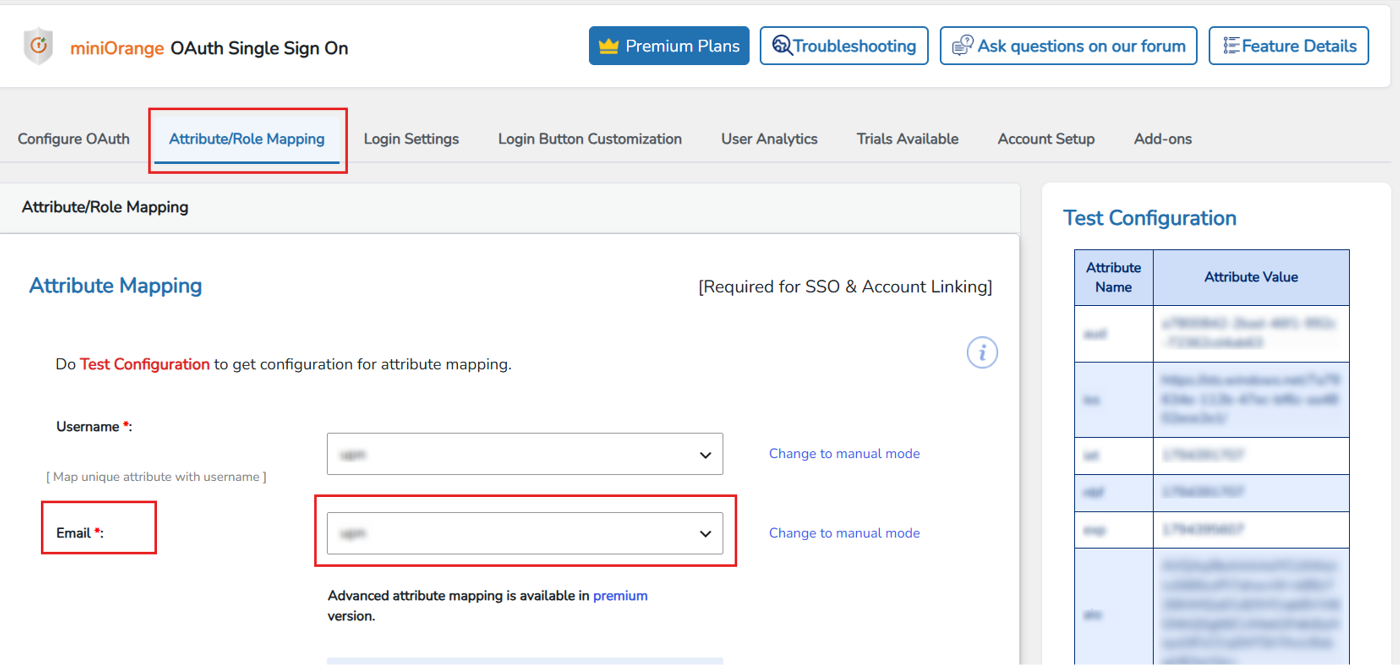
To resolve this issue, follow these steps to configure the Email Attribute correctly in the Attribute Mapping section:
- In the miniOrange OAuth SSO Plugin, navigate to the Attribute Mapping tab.
- Configure the Email Attribute by selecting the appropriate attribute name from the attributes returned in the Test Configuration section.
Feel free to reach us at oauthsupport@xecurify.com.


