
To create an API key:
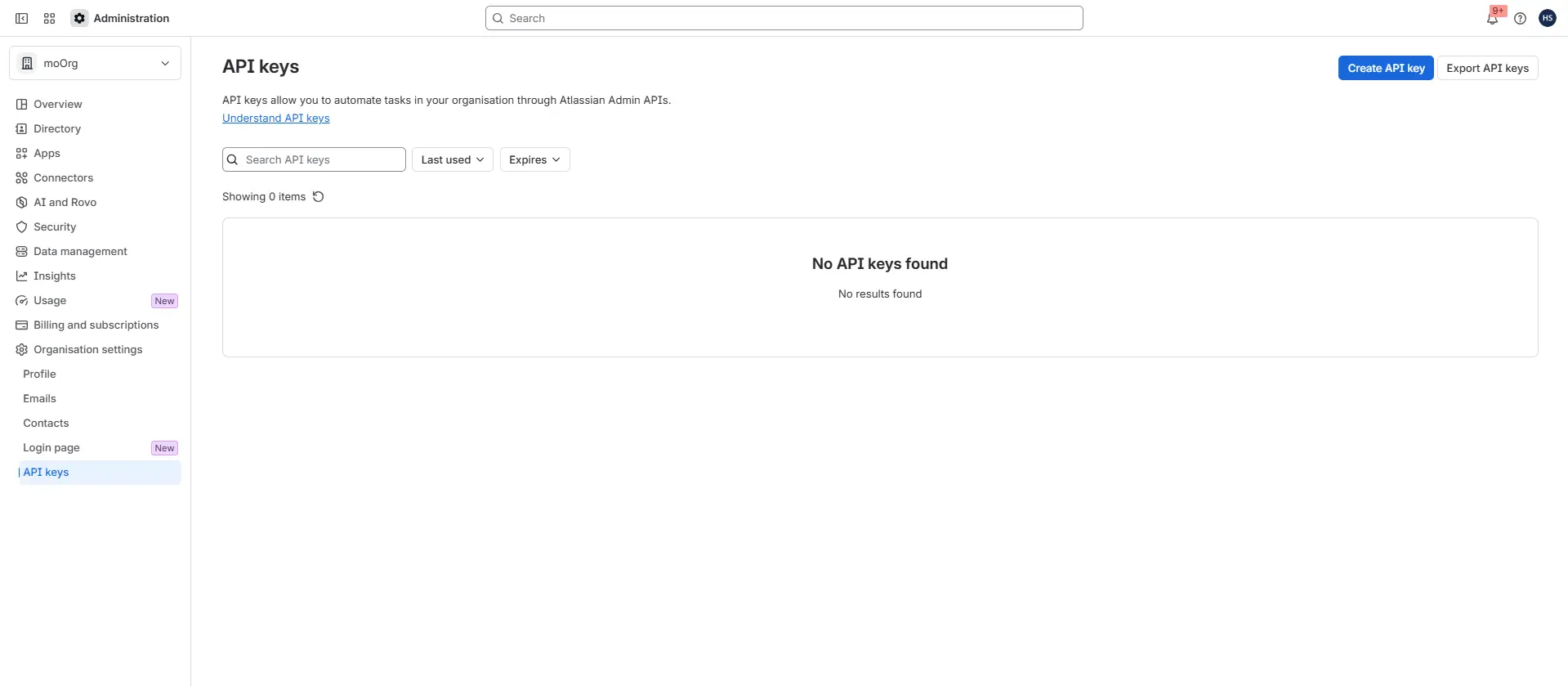
- Go to Atlassian Admin, and select your organization if you have more than one.

- Next, go to Organisation Settings → API keys and click on Create API key.
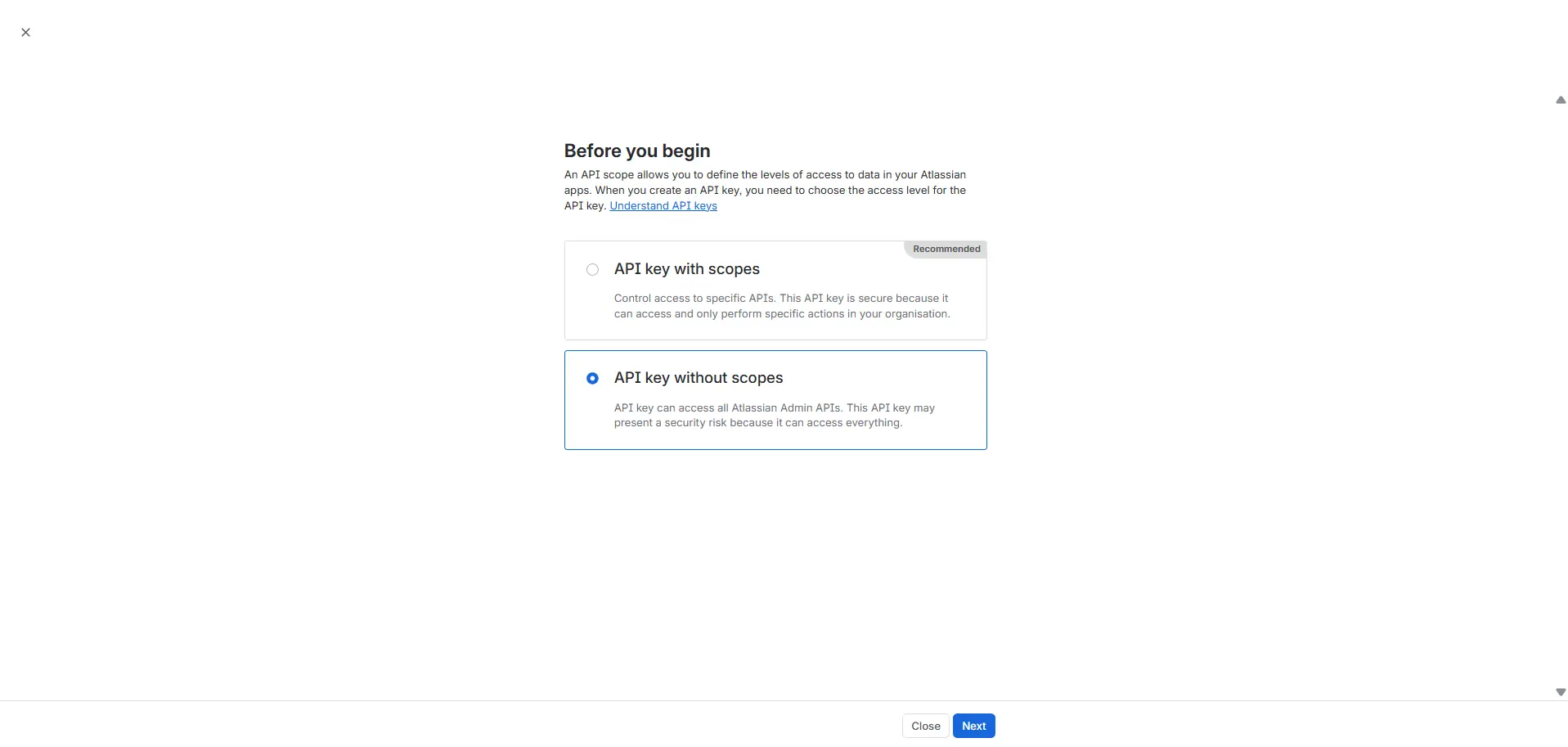
- Select API key without scopes.
- Assign a memorable name to your API key for easy identification
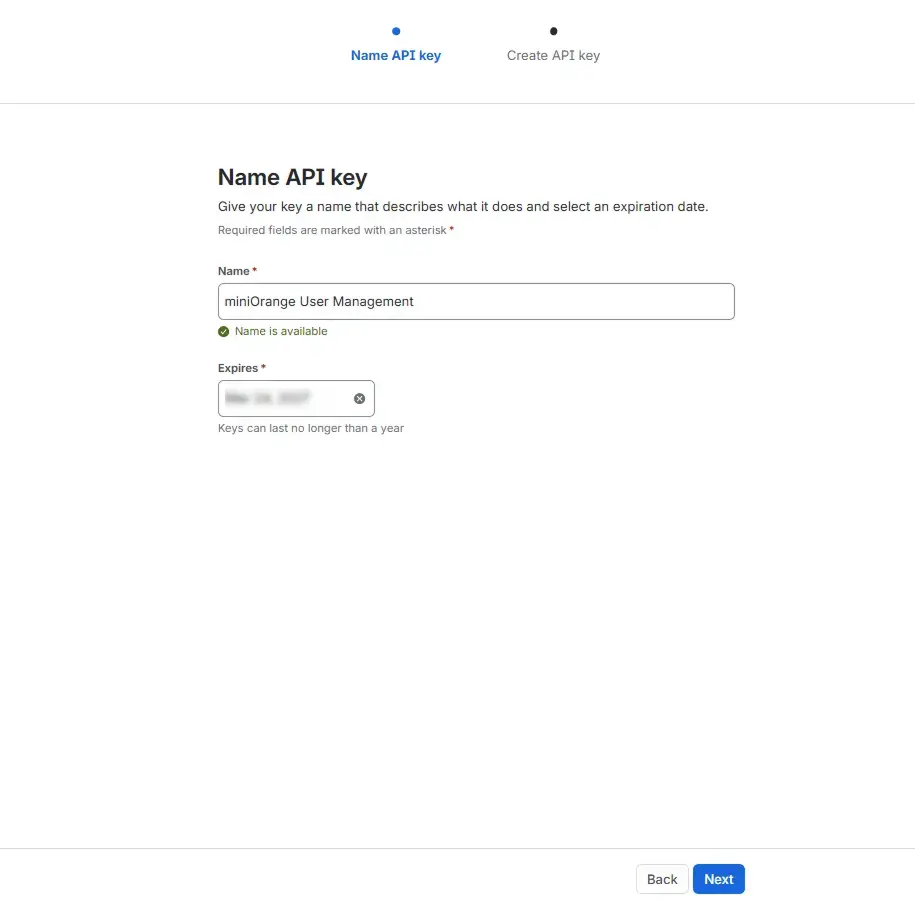
Note: By default, the API key expires one week after it is created. If you need a different expiration date, select a new one under Expires on. However, the expiration date cannot be set beyond one year from the creation date.
- Once you’re done, Click on Create to save the API key.
- Copy the API key values, as you'll need them to use the key.
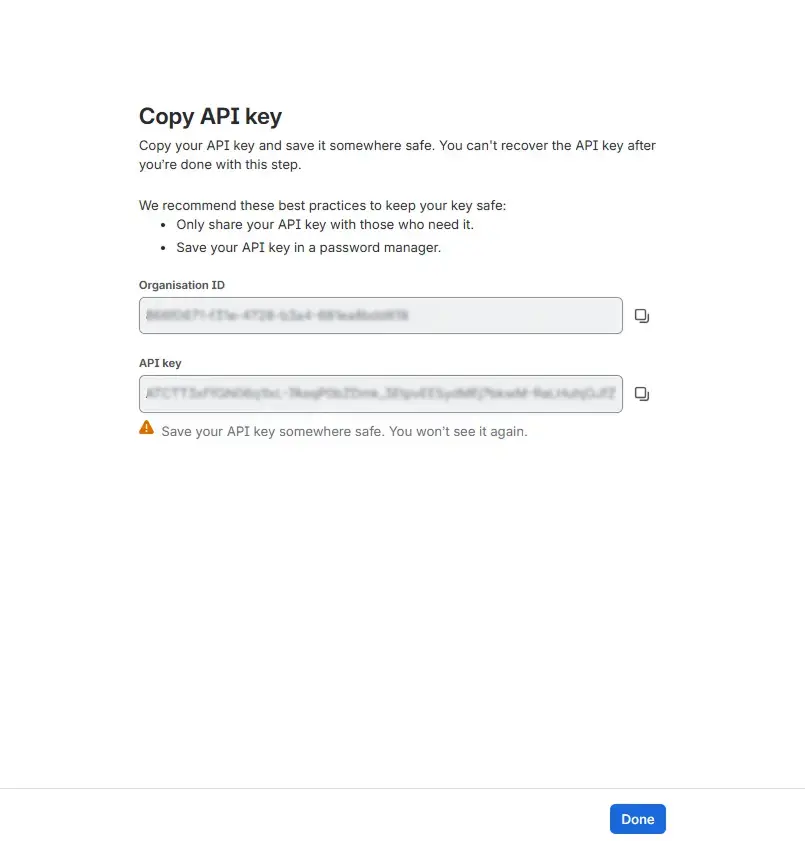
Note: Make sure to store these values in a safe place, as they will not be displayed again.
- Finally, click on Done and the key will appear in your list of API keys.


