Shopify

How to switch from legacy accounts to customer accounts in Shopify?

17 views 0

To switch from legacy accounts to customer accounts, please follow these steps:

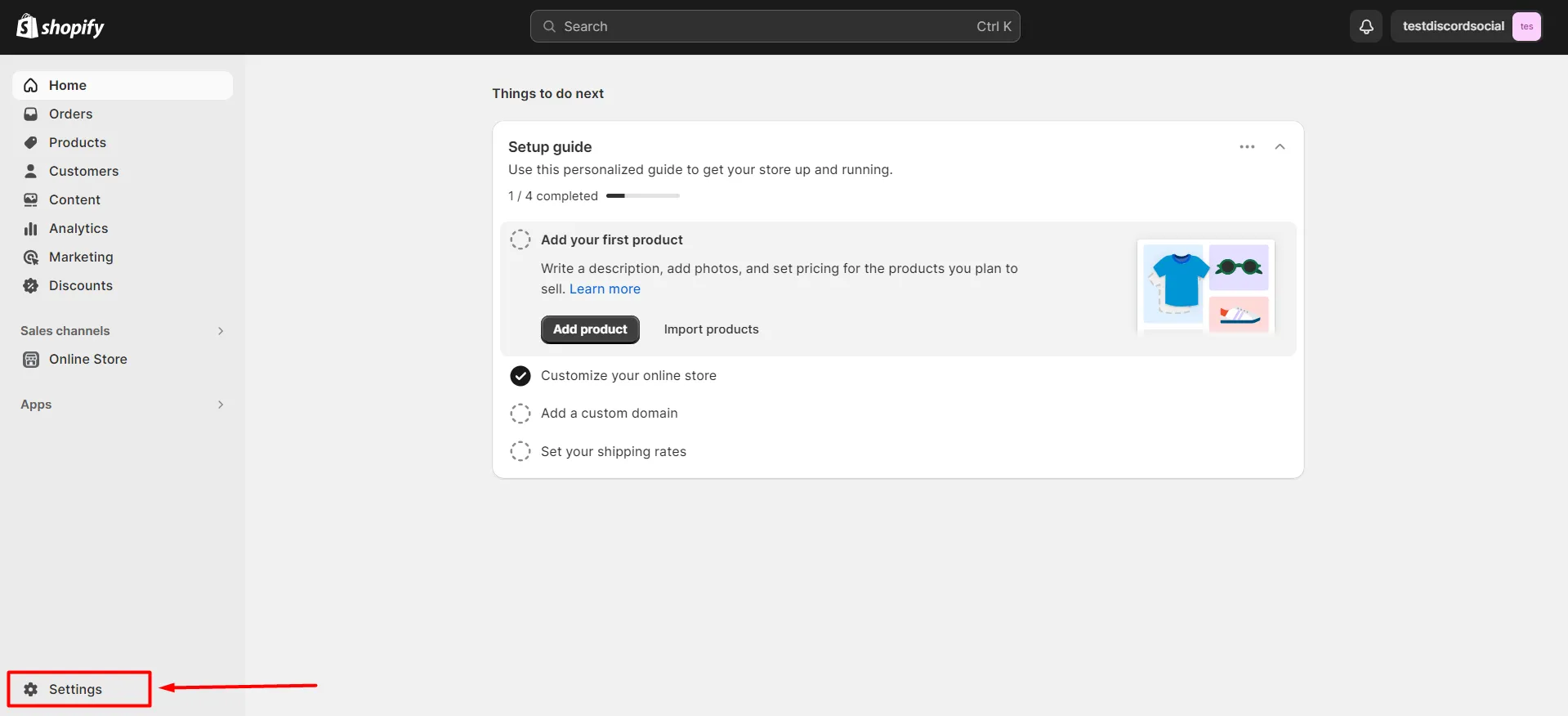
  • Go to your Settings.
Switch from legacy accounts to customer accounts in Shopify - Navigate to Settings

  • Locate the Customer Accounts section, and click on the "Upgrade" button.
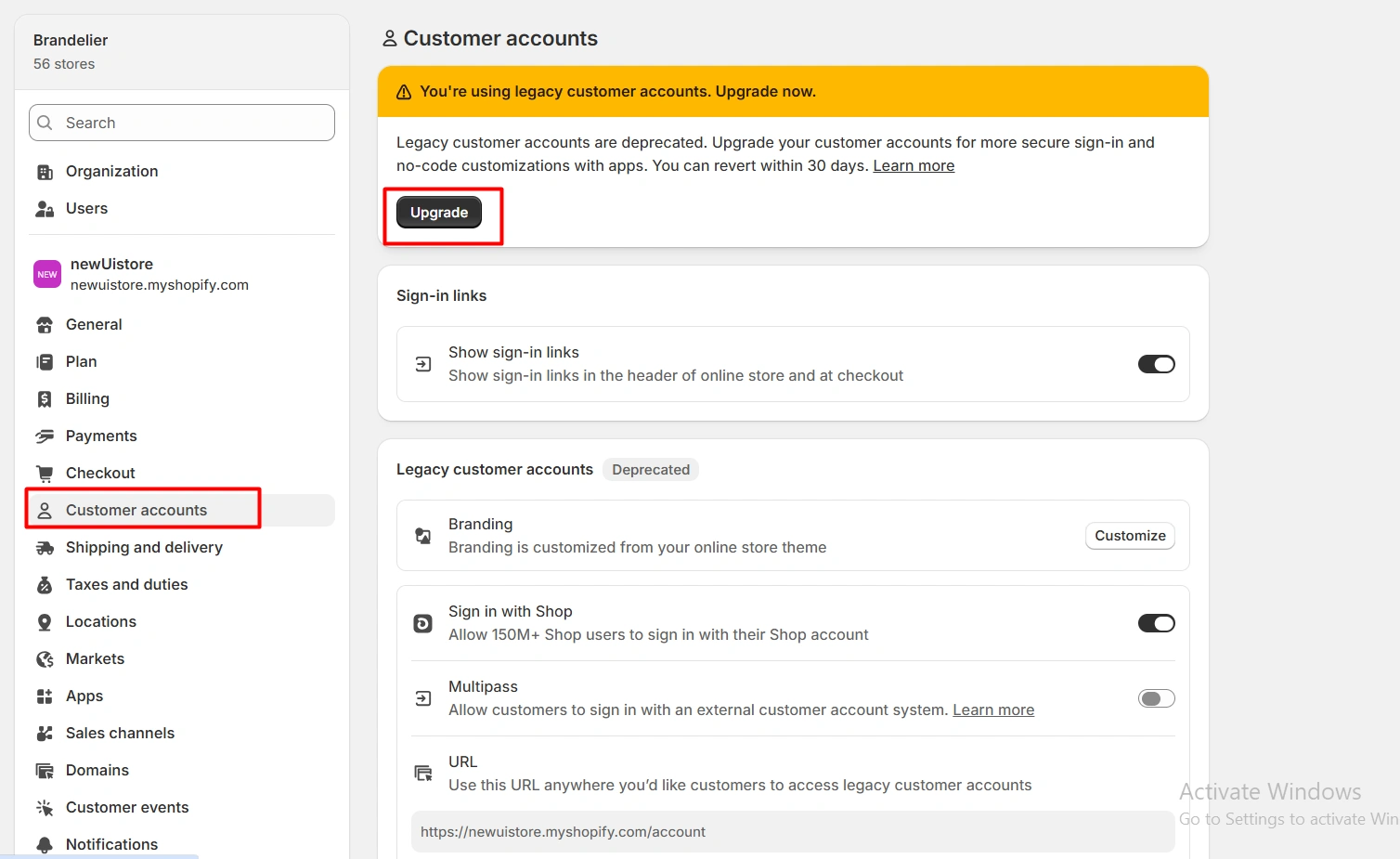
Switch from legacy accounts to customer accounts in Shopify - Locate Shopify customer accounts

Note: You can revert to legacy accounts within 30 days.

For further assistance, please feel free to contact our team.

Was this helpful?


Hello there!

Need Help? We are right here!

support