Note: This configuration is applicable only for Customer Accounts on Shopify Plus.
To configure single logout URL for your SAML-based identity provider, follow these steps:
-
Locate the Single Logout URL:
In your SAML-based identity provider's admin console, navigate to the SSO/SAML settings and copy the Single Logout (SLO) URL provided on the IDP side.
-
Open the Shopify SSO application:
Log in to your Shopify admin and open the Shopify SSO application.
-
Select the SSO protocol and your IdP:
Within the app, select the SSO protocol and your IdP from the list.
-
Paste the Single Logout (SLO) URL:
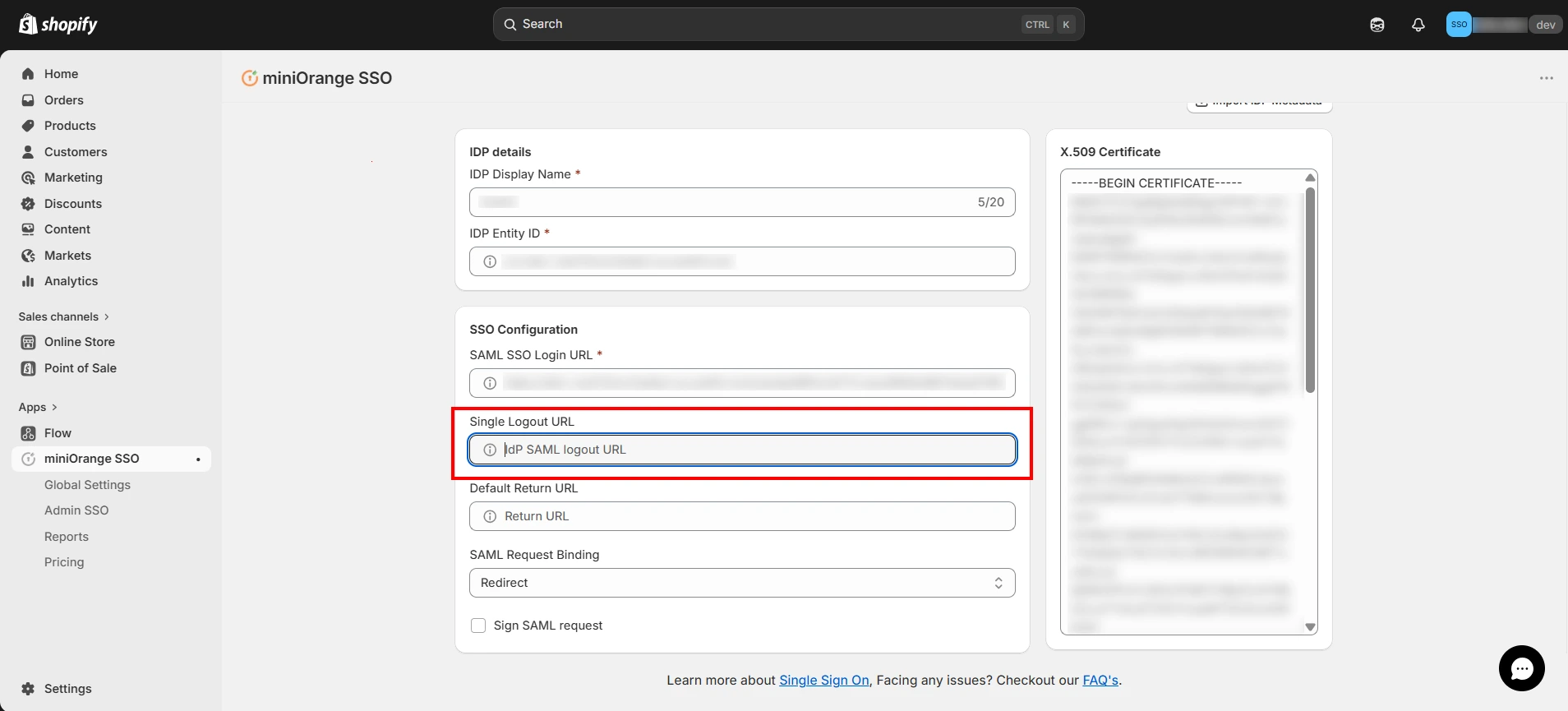
Find the Single Logout (SLO) URL field in the IDP configuration form and paste the SLO URL as shown in the image below.
If your identity provider requires signed requests, make sure the appropriate certificate is configured.
Also, ensure that the Sign SAML Request checkbox is enabled.
- Enable Single Logout Checkbox:
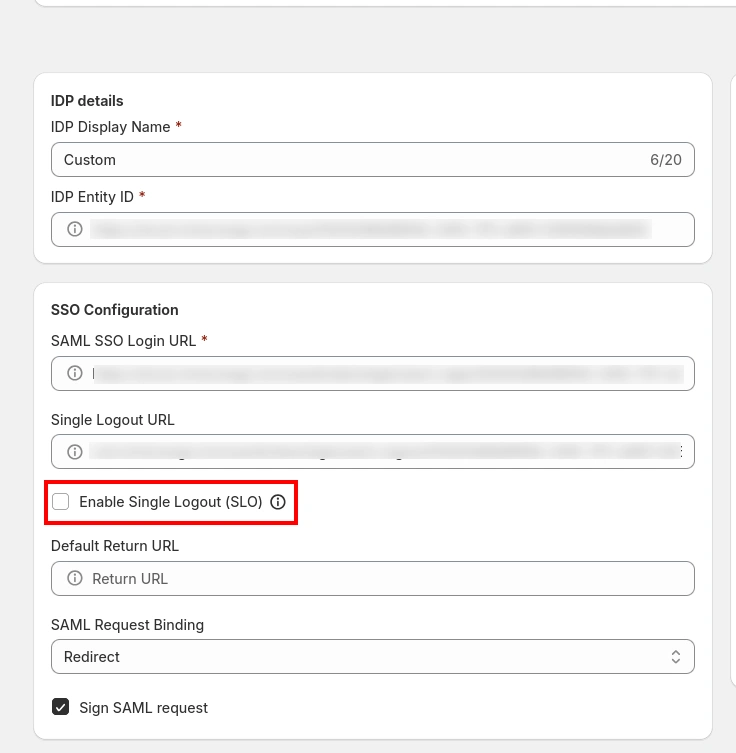
Enable the Single Logout checkbox as shown in the image below.
-
Save the configuration:
Click Save to apply the changes and verify that the Single Logout URL is correctly configured.
For further assistance in setting up single logout URL for Shopify SSO, please feel free to contact our team.


