To configure Taqnyat SMS gateway in the Shopify store, you would need to install miniOrange's OTP Login/Register application to allow your customers to log in easily with an OTP sent to their registered mobile number. You will need to upgrade to the Custom Gateway plan in order to use Taqnyat SMS gateway.
Here’s how you can configure Taqnyat gateway for your Shopify store:
- Log in to your Shopify store.
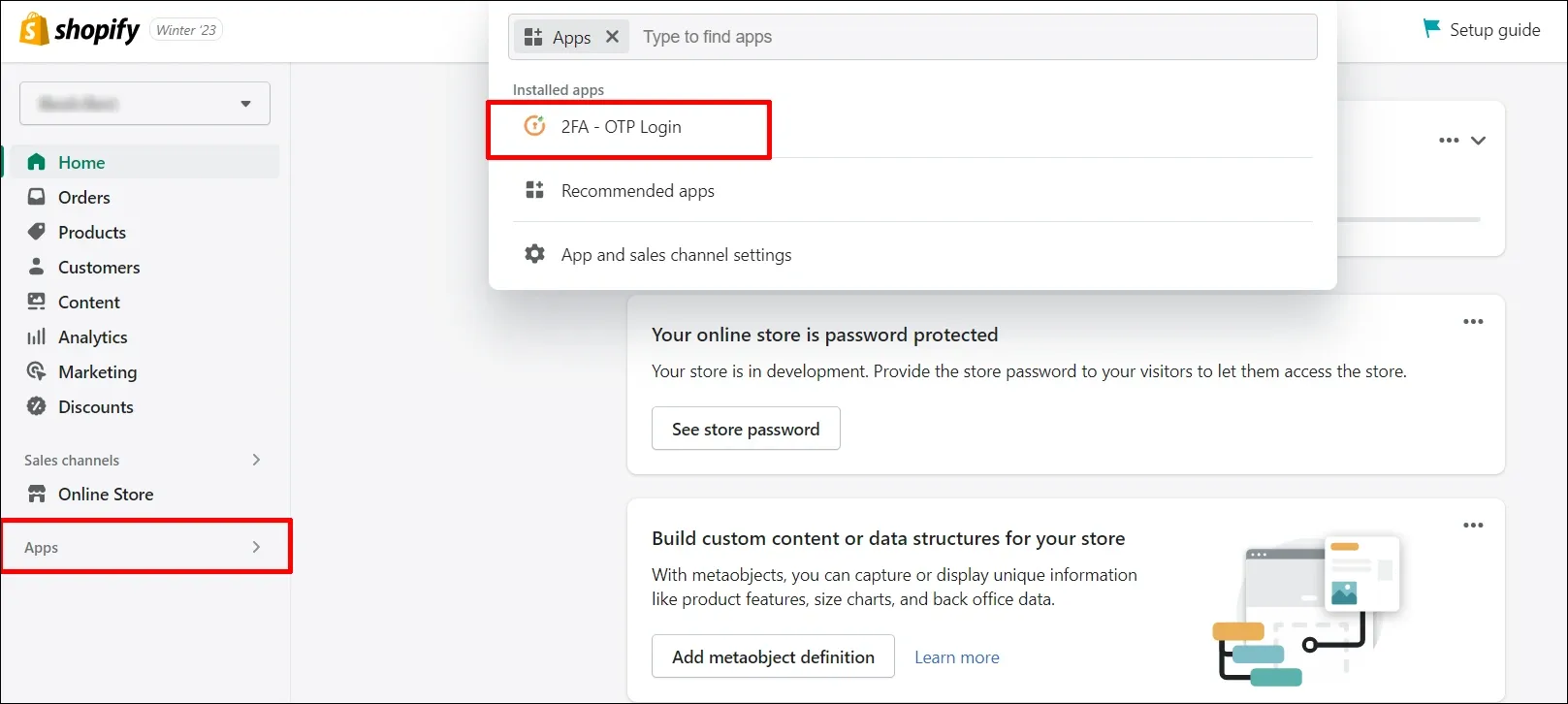
- Navigate to the Apps section and select the miniOrange OTP Login/Register application.
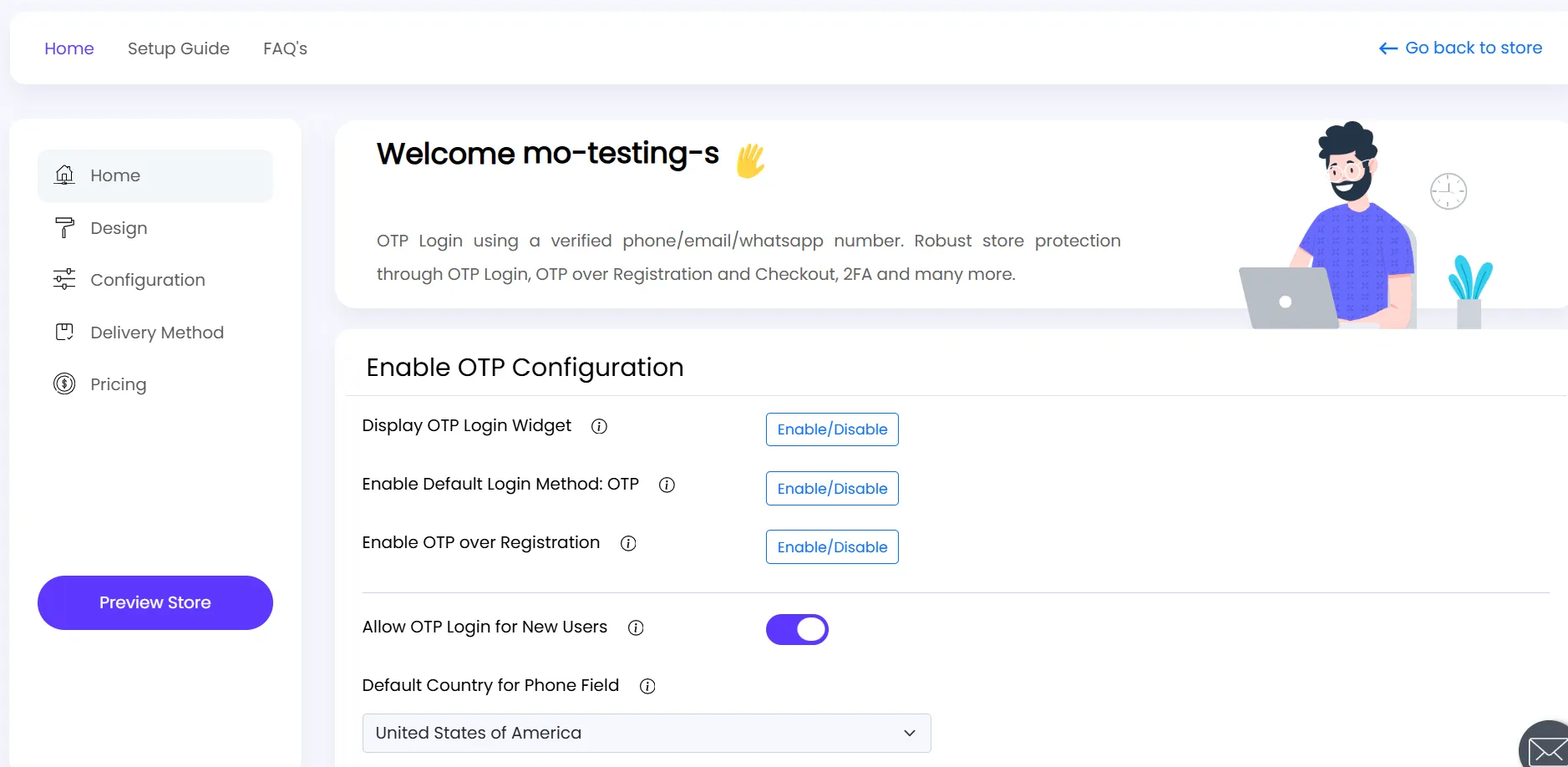
- You will be redirected to the application dashboard as shown below:
- Click on the Delivery Method tab, choose SMS as the delivery method, and enable the toggle to use a custom gateway, as shown below.
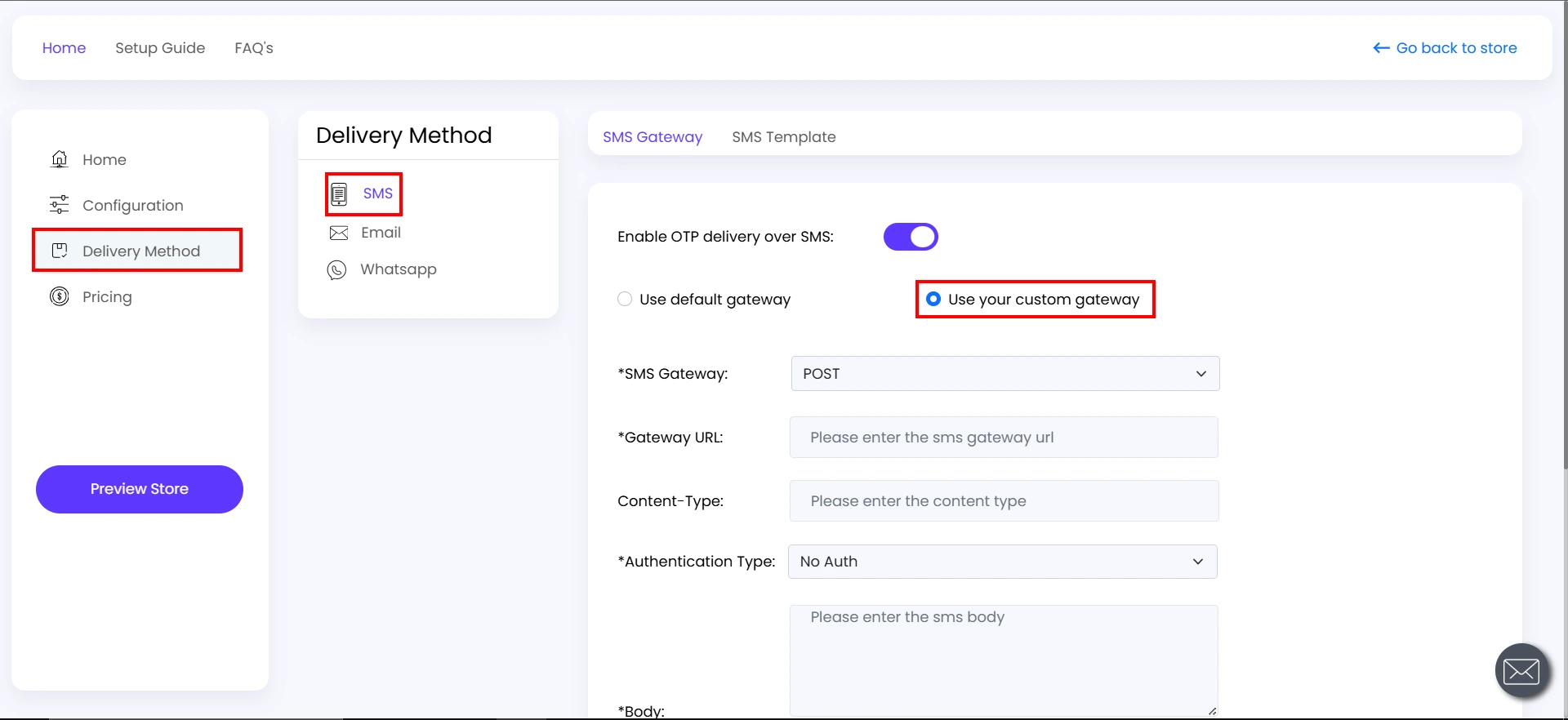
- To configure your gateway provider, enter the required details such as Gateway URL, Authentication Type and SMS Body.
- Click on the Save SMS Config button.
You have successfully configured the Taqnyat gateway in your Shopify store using the OTP Login/Register application.
For further assistance, please feel free to contact our team.


