As part of our ongoing efforts to enhance the app’s security, performance, and long-term compatibility, we have updated the OIDC Discovery Endpoint used in the Store as IDP application’s flow to establish OIDC-based SSO connections with your third-party application or service provider.
If you have set up SSO using the Discovery Endpoint, follow the steps below:
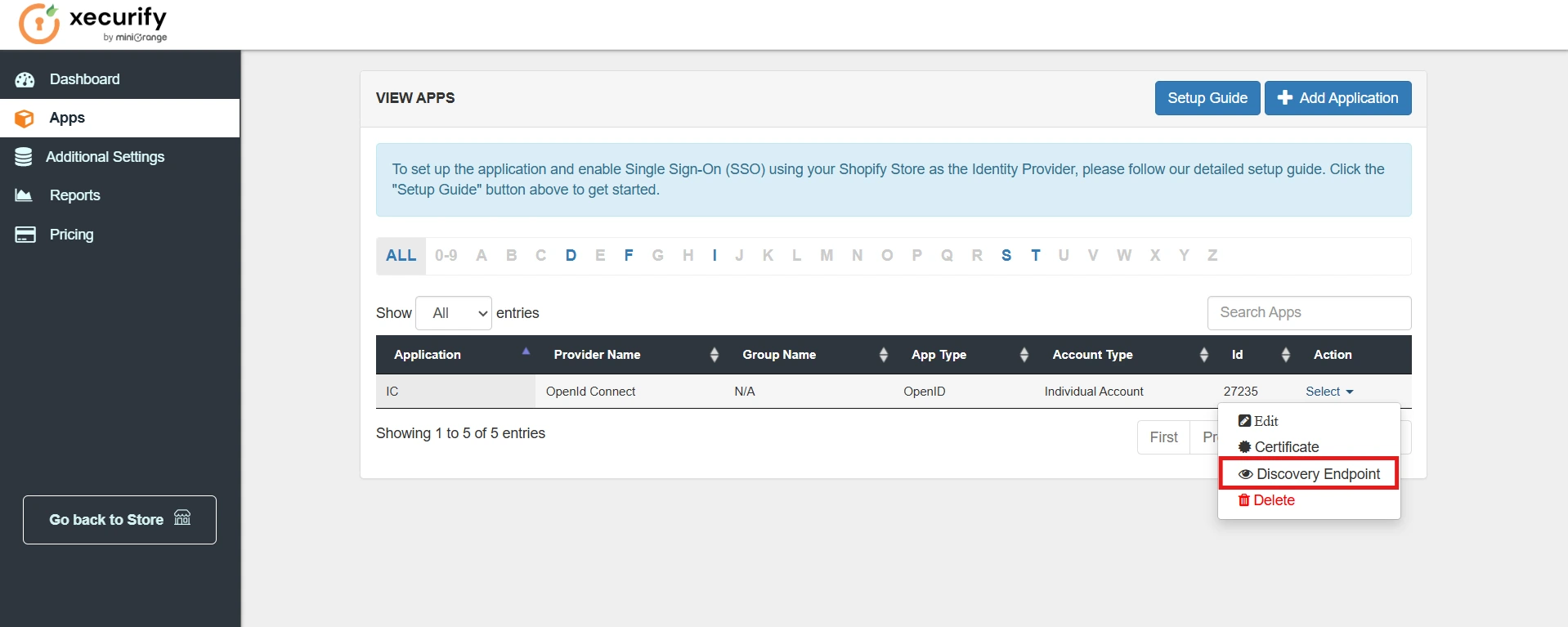
- For the configured OIDC application, hover on Select and choose Discovery Endpoint as shown below.
- Simply copy the highlighted discovery endpoint in your Service Provider (SP) application.
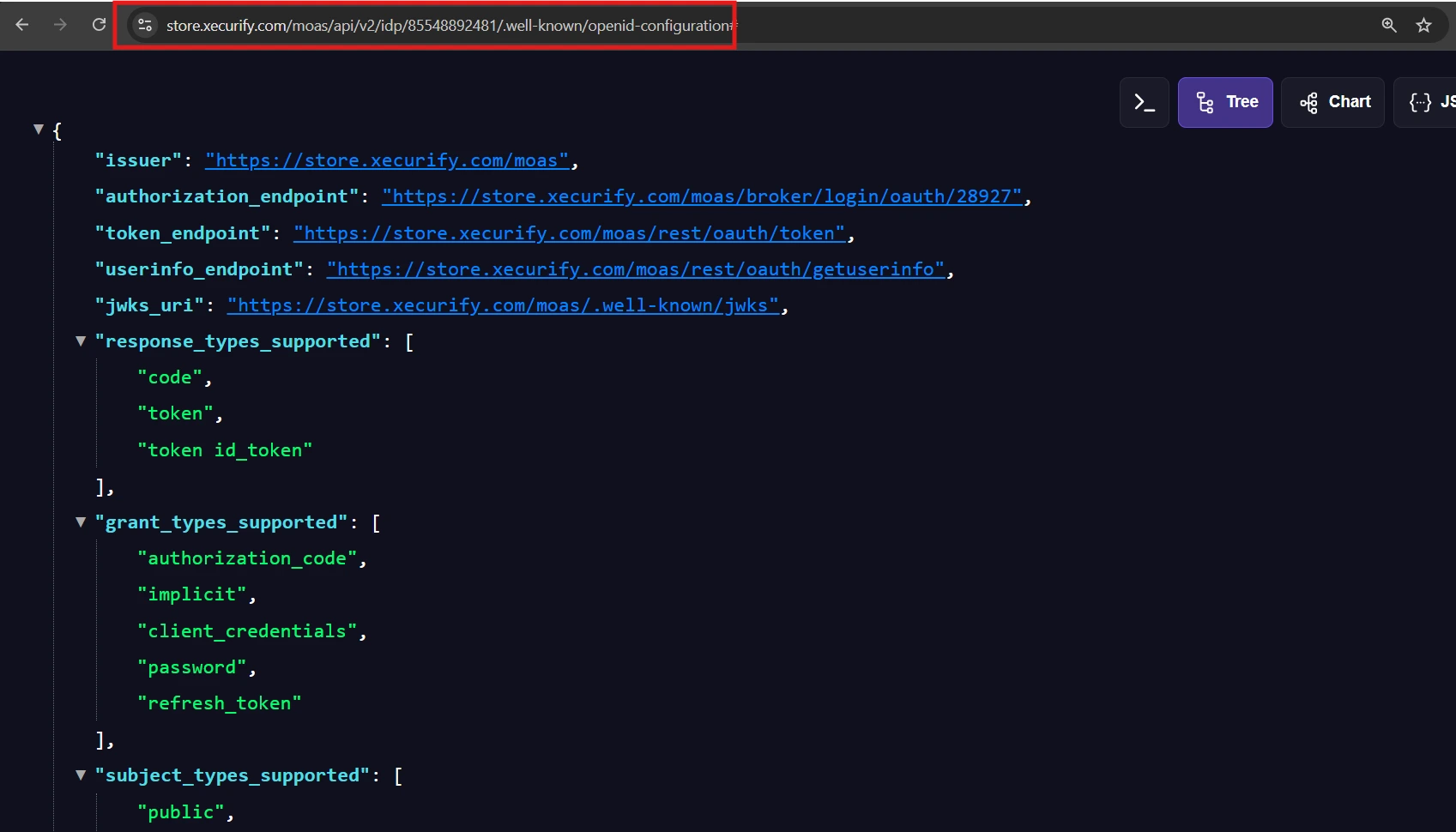
- After that, verify the SSO connection to ensure authentication is working correctly.
- A successful test connection indicates that the migration has been completed successfully.
If you have set up SSO by configuring each endpoint, follow the steps below:
- The authorization endpoint has been updated due to recent changes in the discovery endpoint. Also, the authorization endpoint is unique to the application configured.
- To ensure smooth SSO functionality and enhance security, it is necessary to update your manually the Authorization Endpoint.
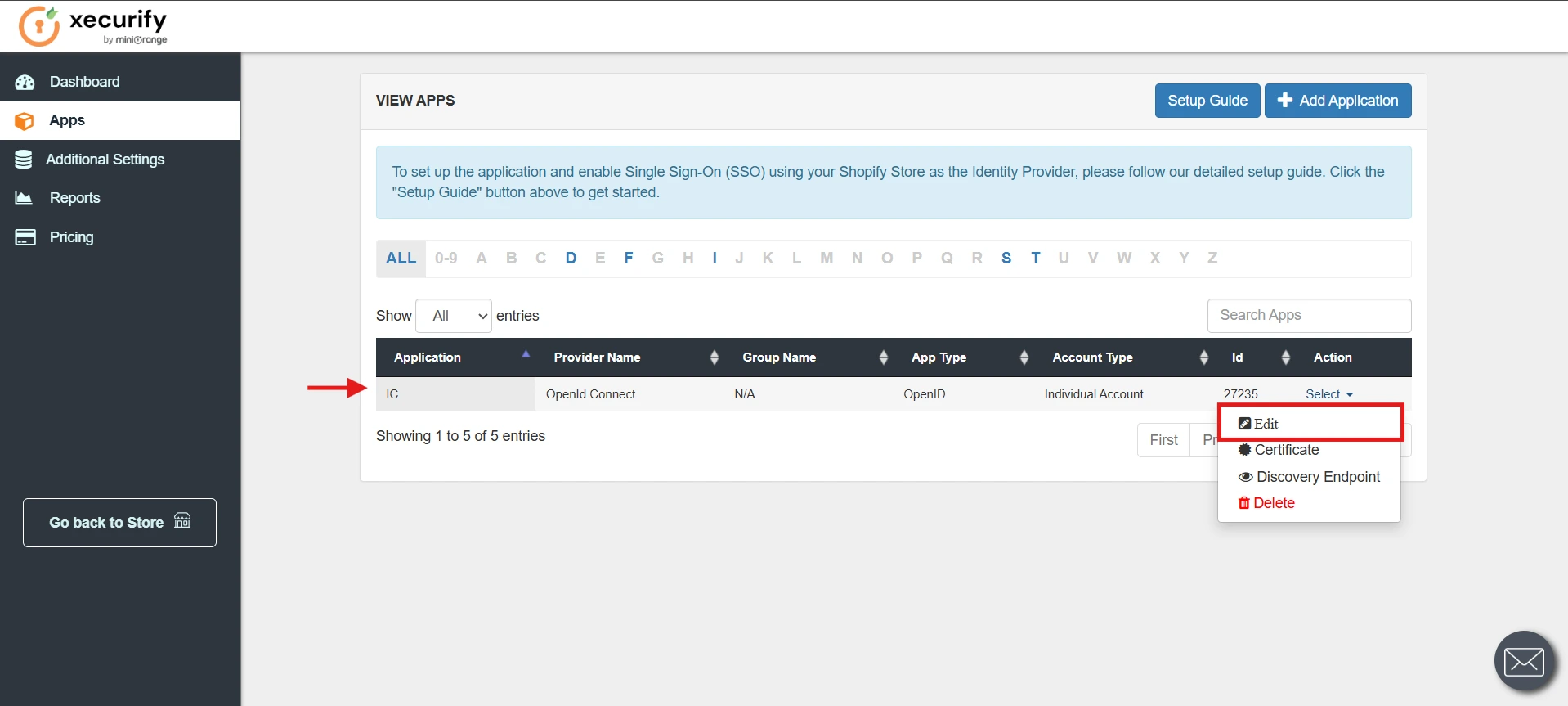
- For the configured OIDC application, click on the Edit button.
- Scroll to the OAuth Endpoints section and copy the Authorization Endpoint highlighted below.
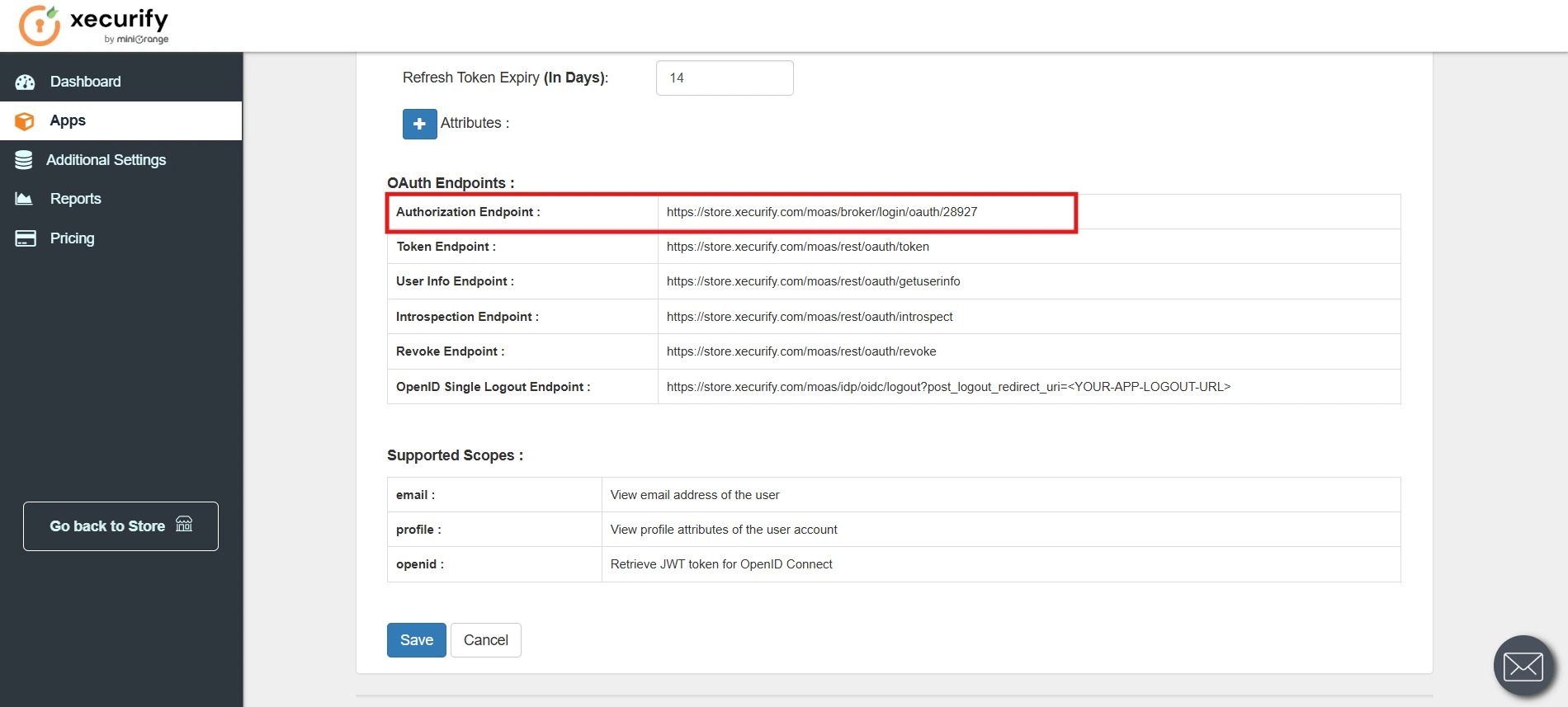
- Paste this endpoint into your configuration of the Service Provider (SP) application.
- After that, verify the SSO connection to ensure authentication is working correctly.
- A successful test connection indicates that the migration has been completed successfully.
If you require any assistance for endpoint migration, please contact us at shopifysupport@xecurify.com.


