How can I migrate from Shopify Legacy Customer Accounts to New Customer Accounts if I’m using SSO?
If your Shopify store currently uses Legacy Customer Accounts with Single Sign-On (SSO), you can still migrate to Shopify’s New Customer Accounts without disrupting the login experience for your users.
Migrating legacy SSO stores to new Shopify customer accounts
If your store already uses miniOrange Shopify SSO, the migration can be completed by following the step-by-step process outlined below:
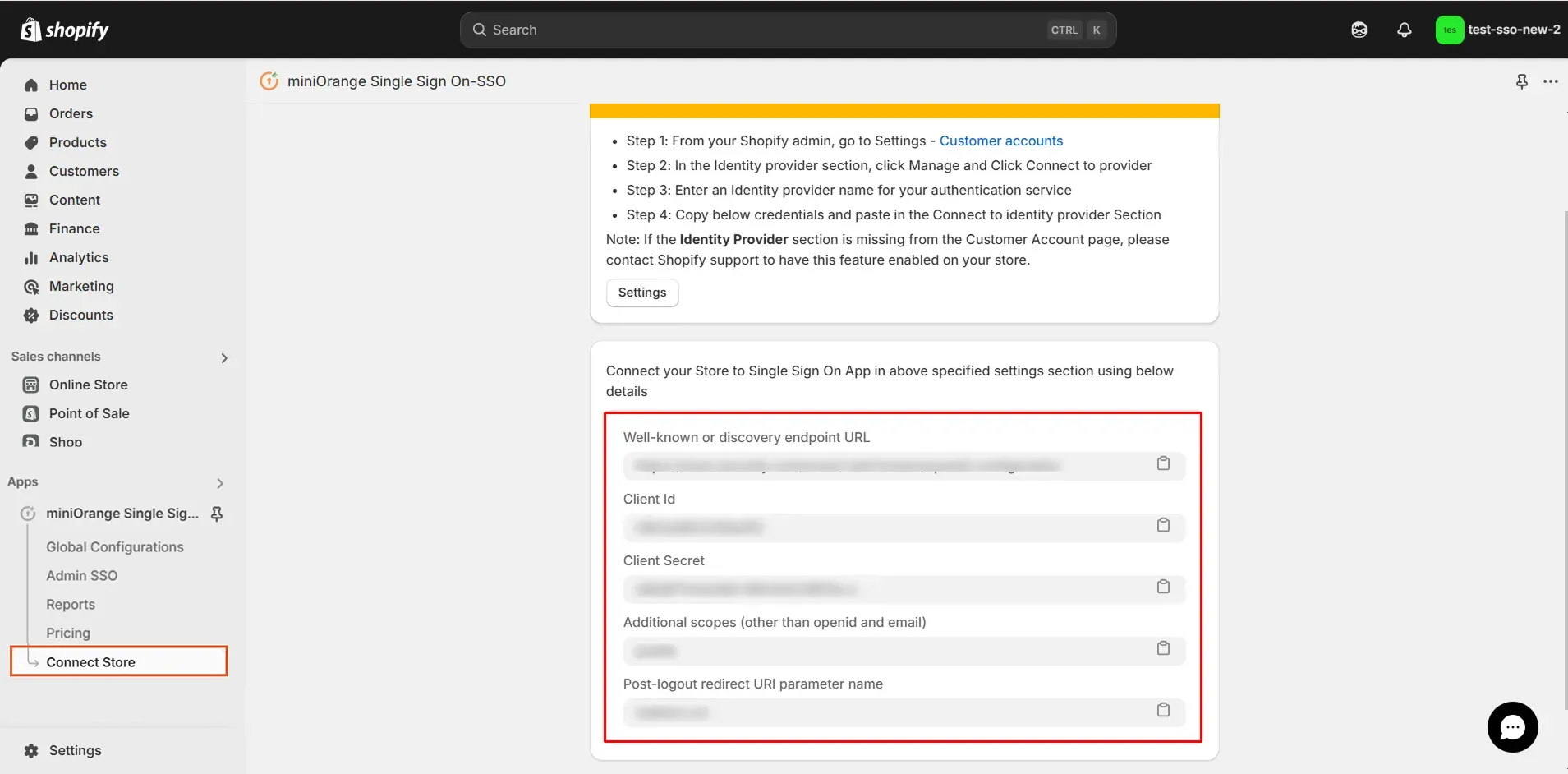
- Navigate back to the SSO application, and click on the Connect Store tab.
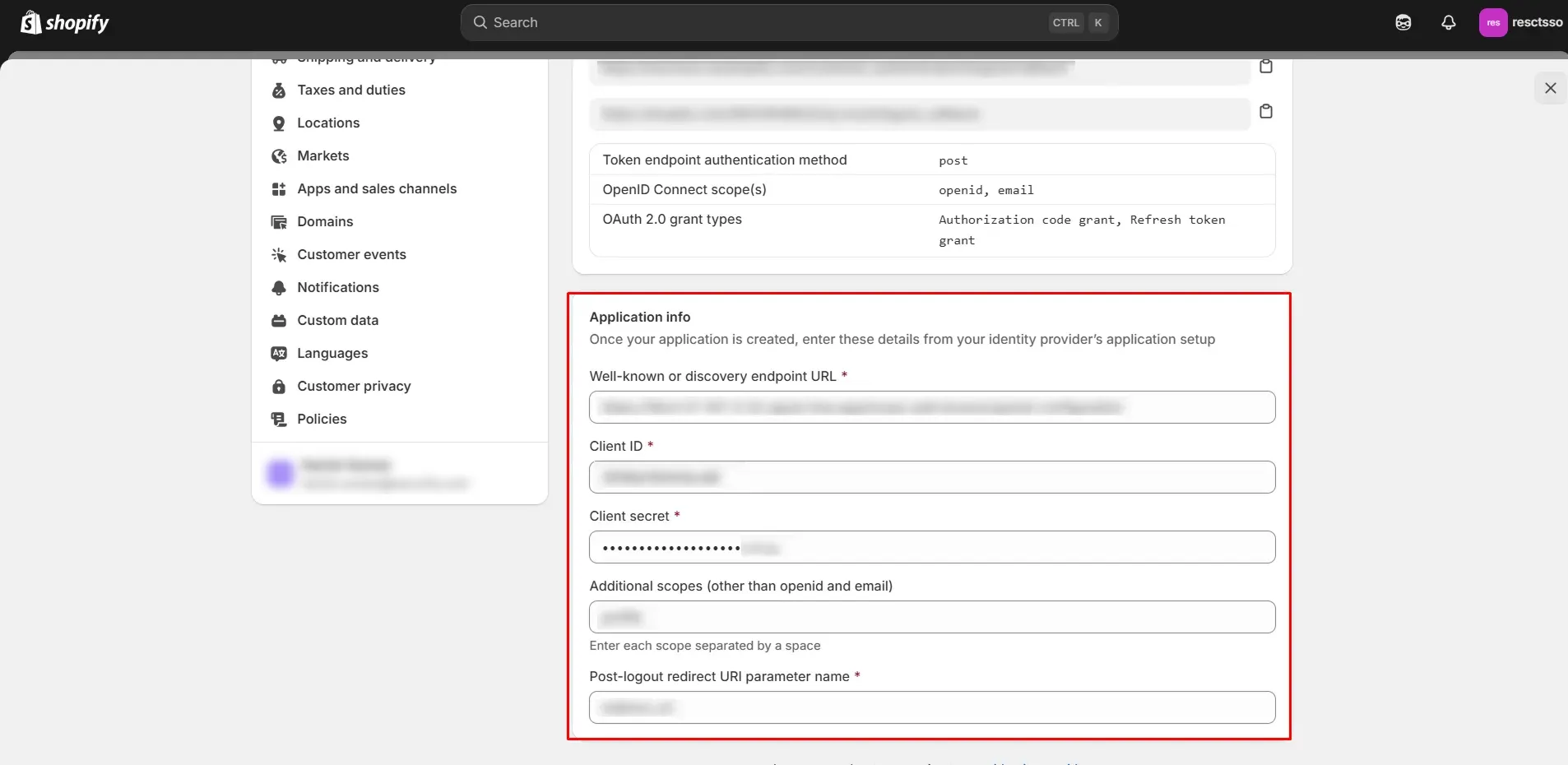
- Copy the Discovery Endpoint URL Client ID, Client Secret, Additional Scopes and Post-Logout Redirect URI Parameter and keep them handy.
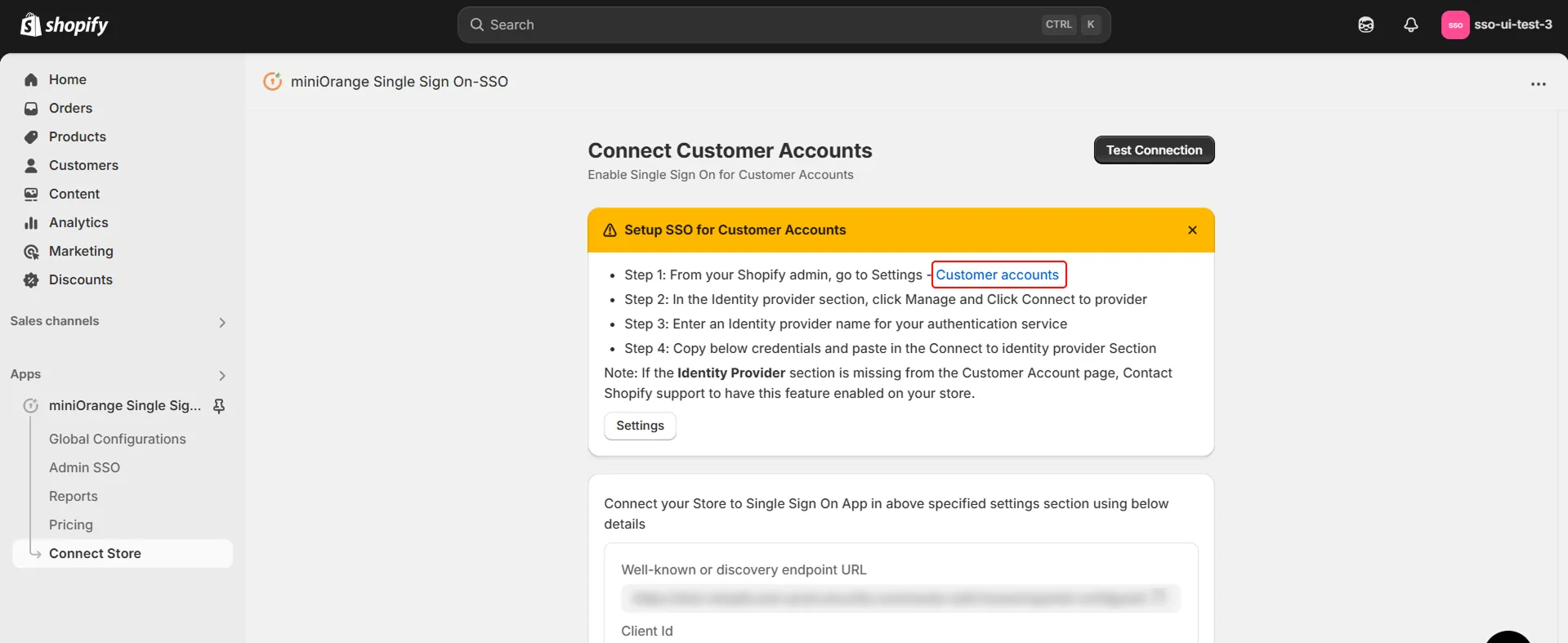
- Click on the Customer Accounts link as shown in the below image.
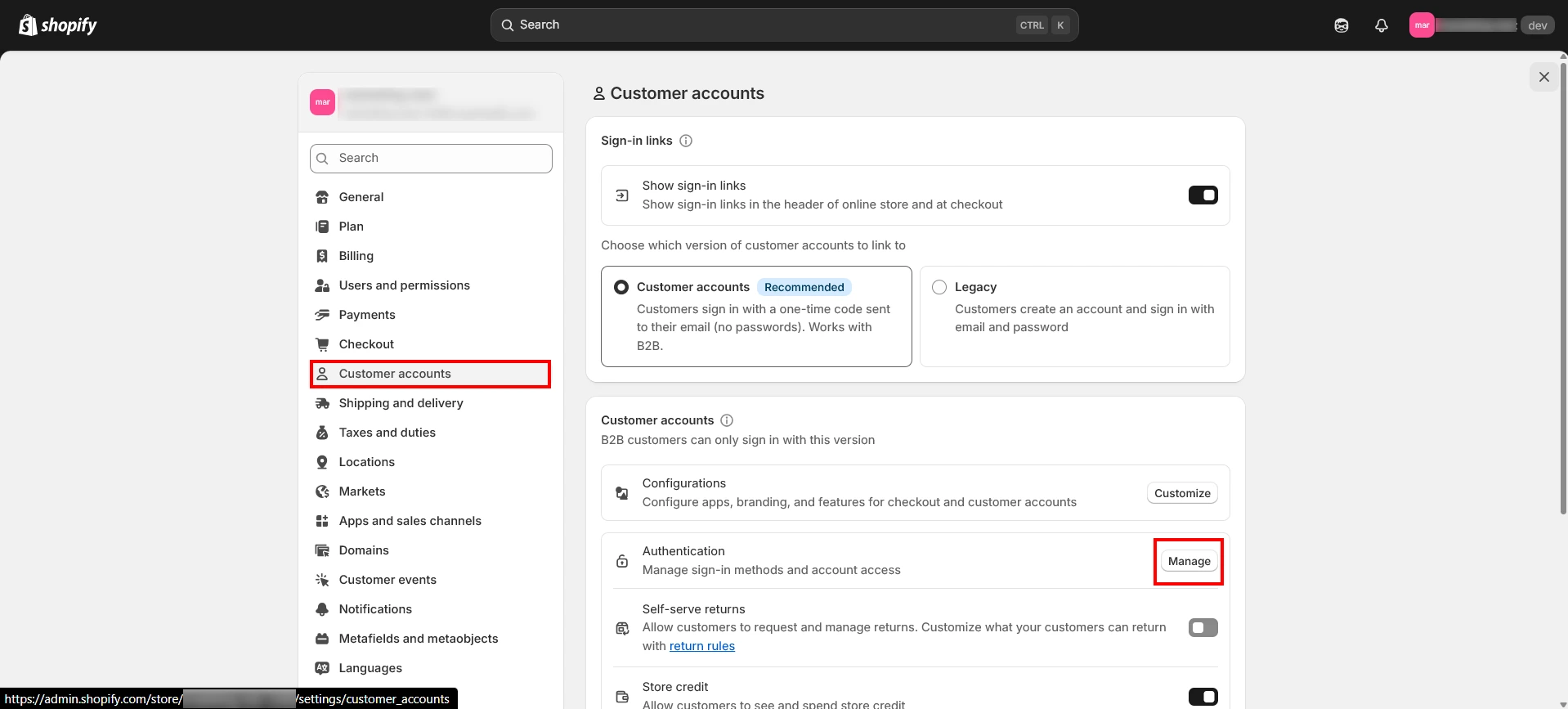
- Select the Customer Accounts option as recommended by Shopify. Next, look for the Authentication option and click on Manage.
- If you do not find the option, please reach out to shopifysupport@xecurify.com for assistance.
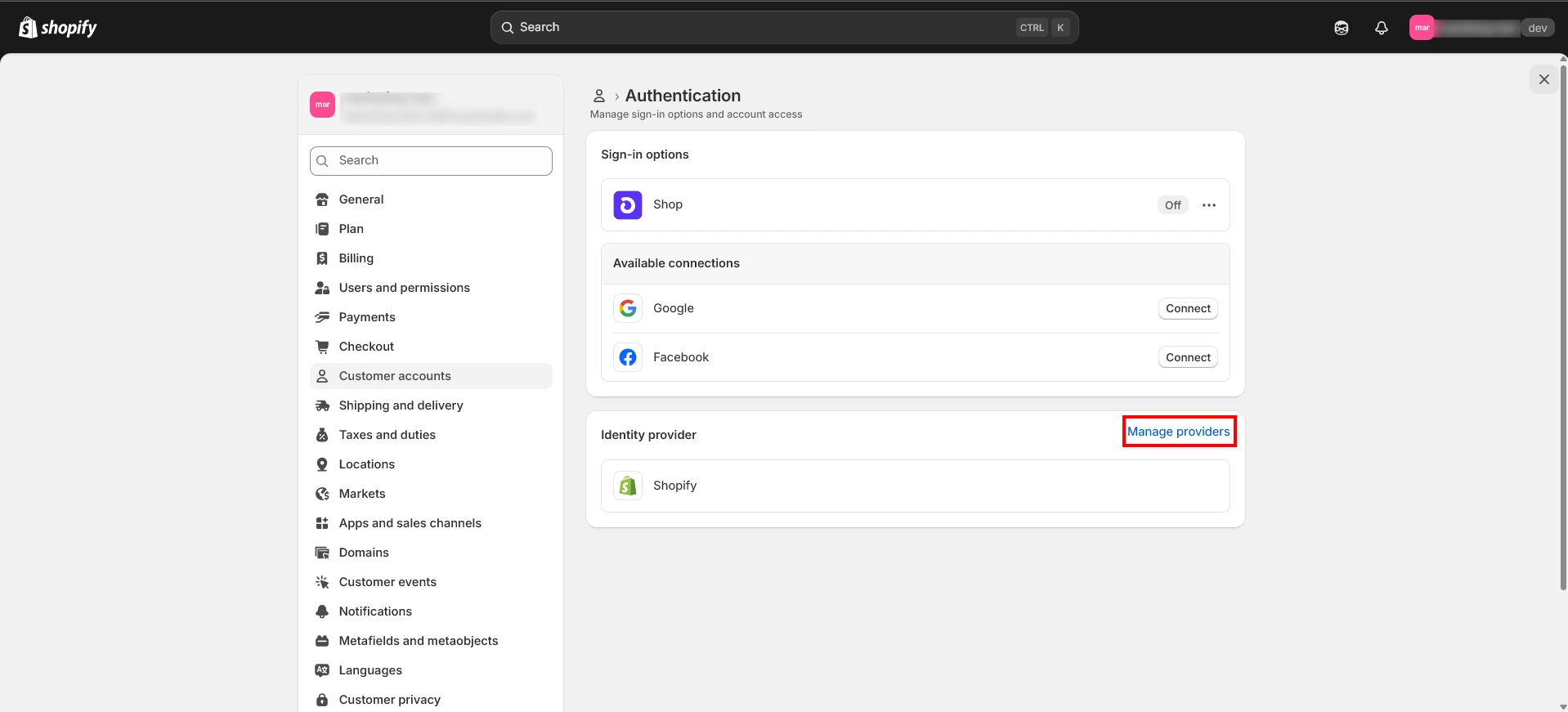
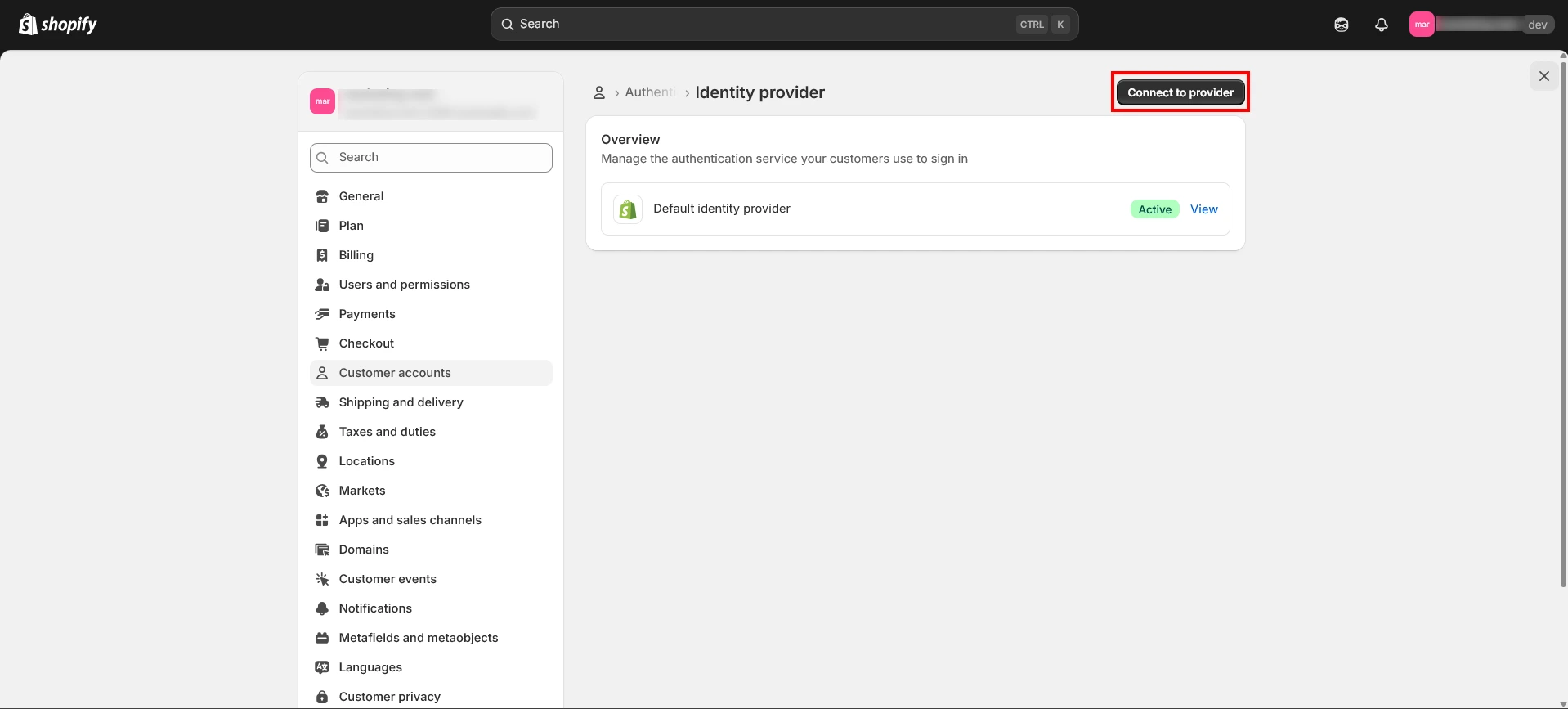
- Click on the Manage Providers button.
- Click on Connect to Provider button.
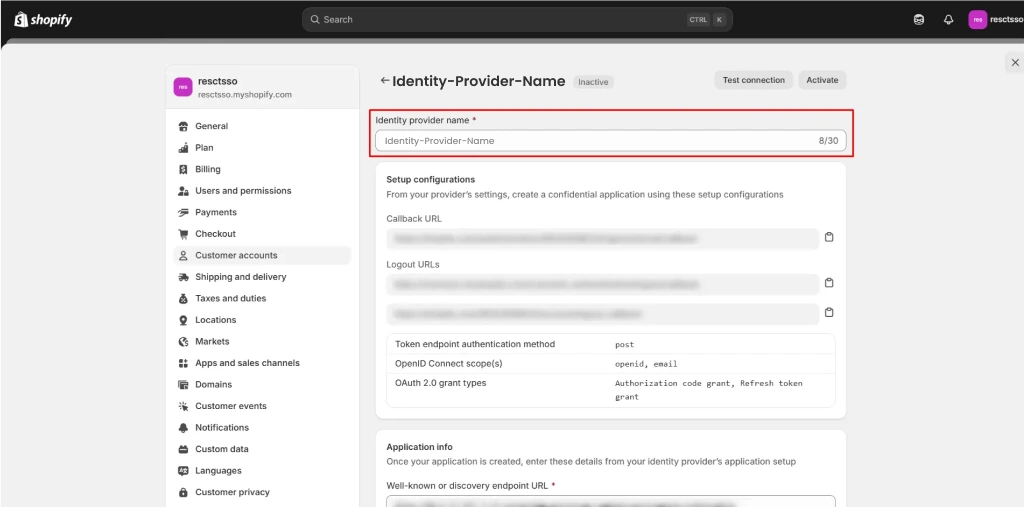
- Add the Identity Provider name and from the Provider dropdown, select Custom or other.
- Fill in the details such as Discovery endpoint URL, Client ID, Client secret, Additional Scopes, Post-logout redirect URI parameter that you copied from above step. Click on Save.
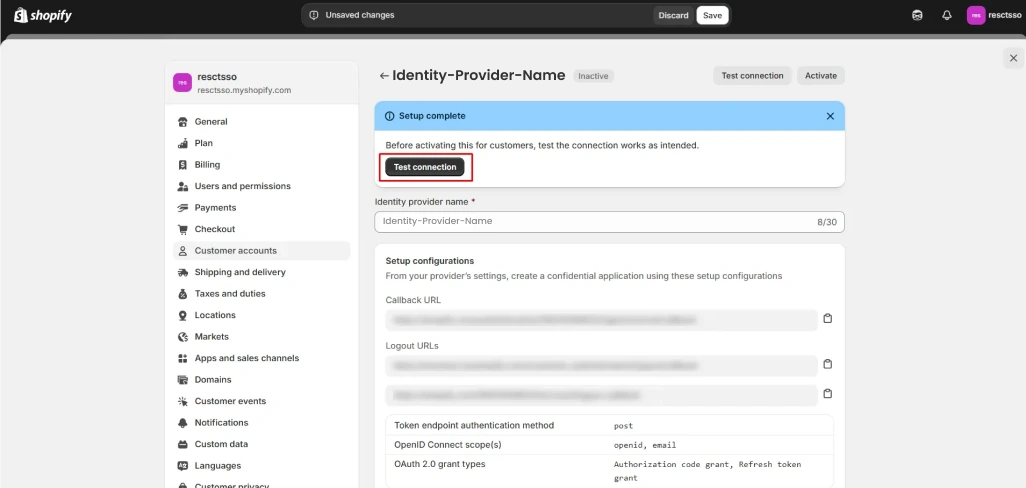
- Once the Identity Provider has been added, do the Test Connection.
- After verifying the flow make the identity provider as Active.
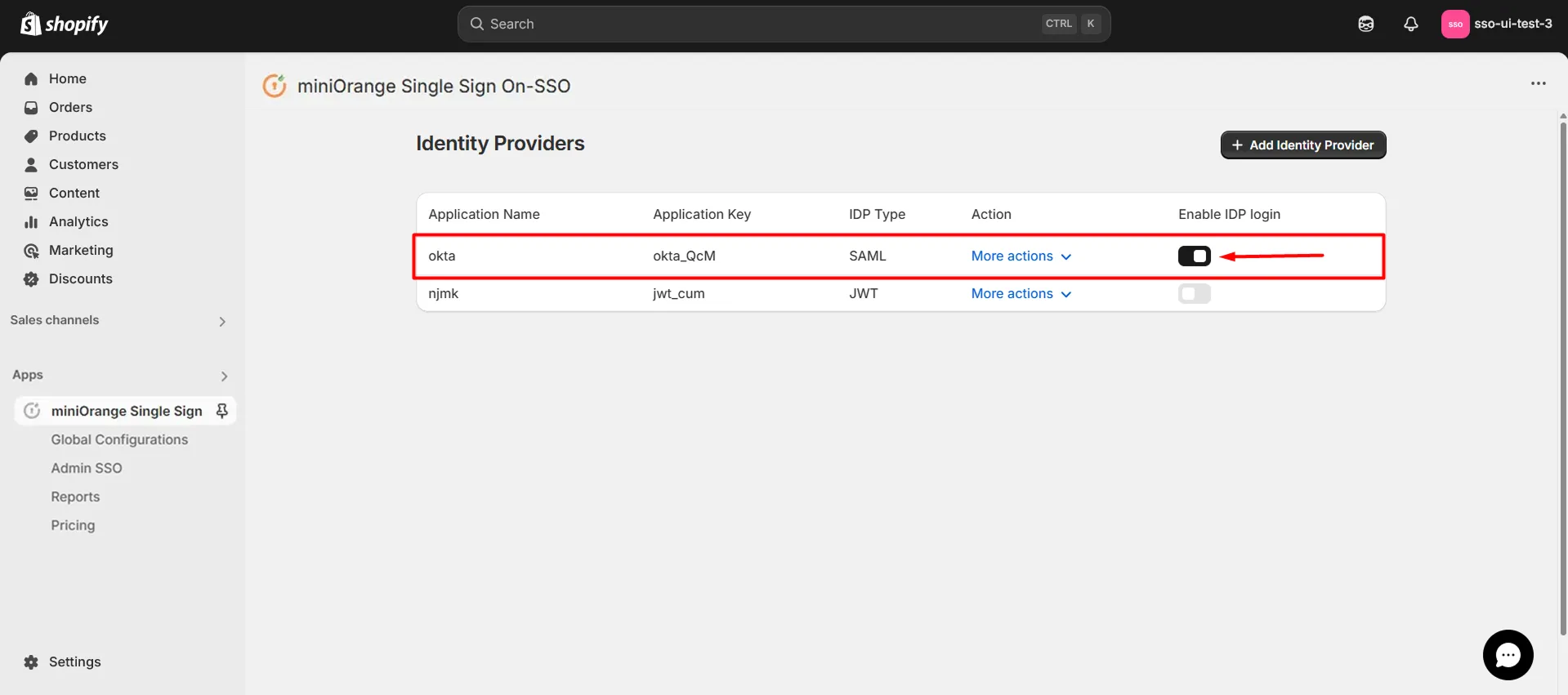
- Navigate to the application home page and enable the IDP Login toggle option against the IDP you have configured.
Testing Single Sign-On (SSO) for your Shopify store
- Go to your Shopify Store.(https://<your-shopify-storedomain>)
- Click on the User login icon.
- You’ll be redirected to the login page of the identity provider (IDP) you configured in the previous step. Log in with your IDP account credentials.
- You’ll be successfully logged in to your Shopify store.