Getting this error when performing SSO from the website: Application registered corresponding to IssuerUri does not have assertion consumer service URL specified in its metadata.
Solution:
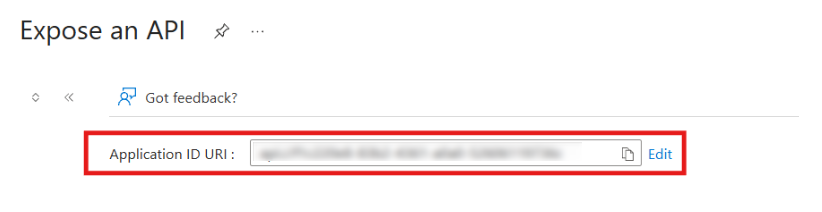
- In Azure AD B2C, open the Registered Application used for SAML SSO and navigate to the Expose an API section.
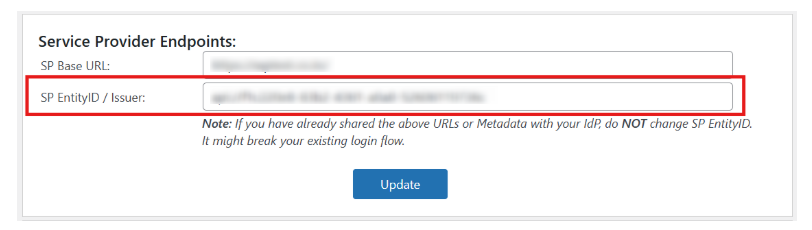
- Verify that the SP Entity ID shown in the plugin’s SP Metadata tab exactly matches the Application ID URI (Issuer URI) configured in Azure AD B2C.
-
Azure B2C Exposed Api Section:
-
miniOrange SAML SSO plugin for WordPress SP Metadata Tab:
Next, carefully review the following common issues that are easy to overlook:
- Extra or missing forward slashes (/) at the beginning or end of the Issuer URI or Entity ID.
- Protocol mismatch, such as http instead of https.
- Different domain or subdomain (for example, www.example.com vs example.com).
-
Assertion Consumer Service (ACS) URL mismatch — ensure the ACS URL configured in Azure AD B2C exactly matches the ACS URL shown in the plugin metadata.
Note: All values must be Identical and Case-Sensitive.
Still need help?
If you are facing any issues with the SSO then you can share the screenshot of the test configuration window along with plugin configuration with us through email at samlsupport@xecurify.com


