If you're using a custom MemberPress login page, refer to the guide below to add the SSO login button or link.
Step-by-step guide:
- Log in to the WordPress Admin Dashboard.
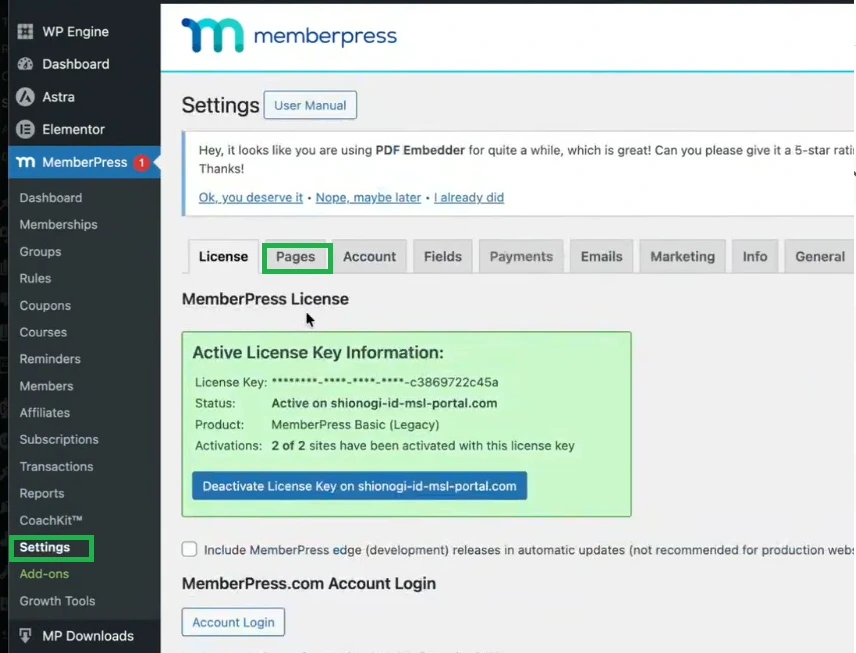
- Navigate to MemberPress > Settings.
-
Open the Pages tab.
- Under the Pages section, identify the page configured as the MemberPress login page and edit that page to add the required SSO link or SSO button.
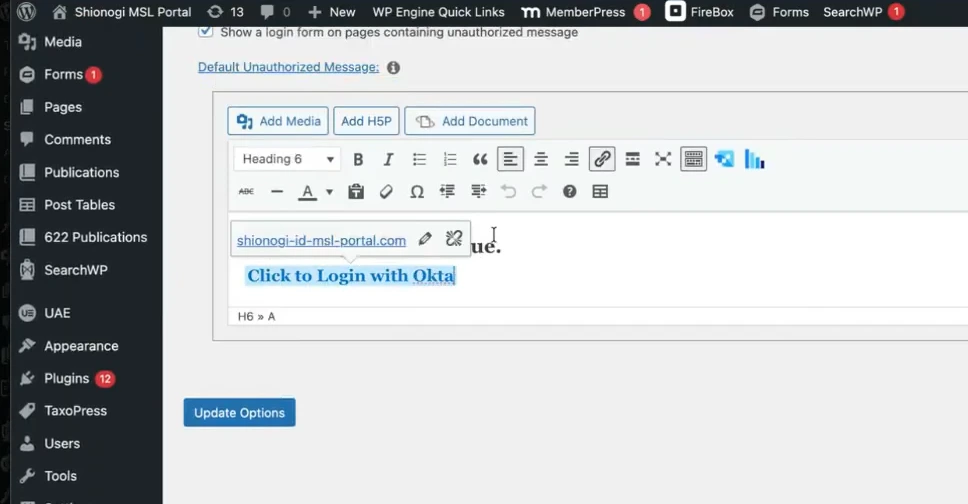
- Save or update the page.
- Test the login page to confirm that the SSO link or button redirects users correctly to the SSO provider.
Still need help?
If you are facing any issues with the SSO then you can share the screenshot of the test configuration window along with plugin configuration with us through email at samlsupport@xecurify.com


