To update to the latest version of the WordPress SAML SSO Plugin follow the steps given below:
- Click here to log in to your xecurify/miniOrange dashboard.
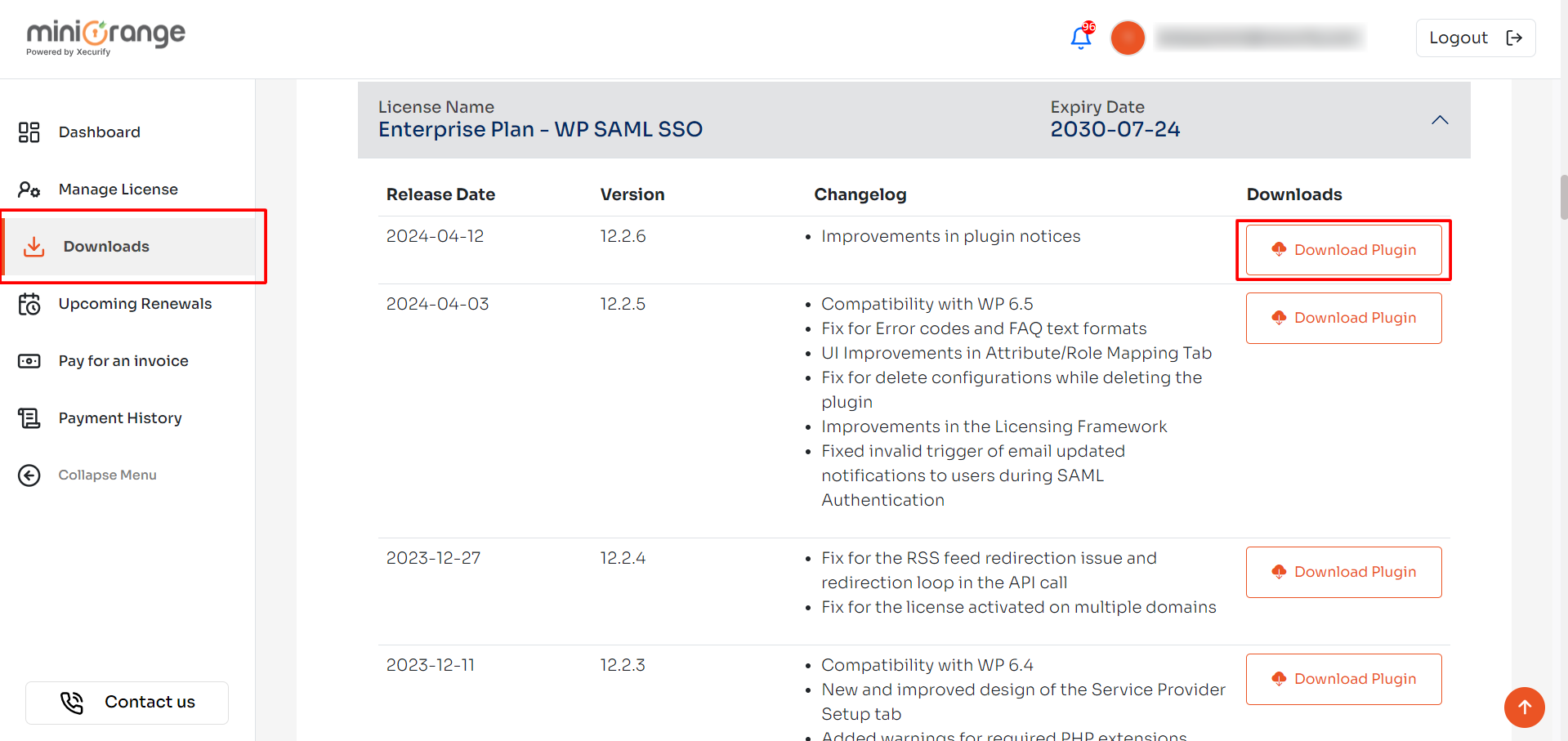
- Navigate to Downloads from the left section.
-
In this section, you can download the latest plugin using the available links. If a download link is unavailable, it indicates that your license has expired.
Note: To renew the license contact us at samlsupport@xecurify.com
- Login into your WordPress Admin Dashboard and go to miniOrange SAML plugin.
-
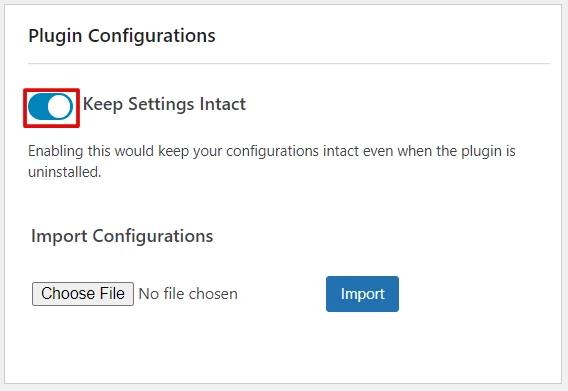
Enable the Keep Settings Intact option in the IDP Configuration tab. You will see this option on the right side below the Support form.
- Go to the installed Plugins page, click on the Add New button and then on the Upload Plugin button.
- Now, click on the Choose File and upload the downloaded plugin zip.
- Then, click the Replace current with uploaded button to replace the older version with the latest one.
- And, you are all set.
Download:
Installation:
Still need help?
If you are facing any issues with the SSO then you can share the screenshot of the test configuration window along with plugin configuration with us through email at samlsupport@xecurify.com


