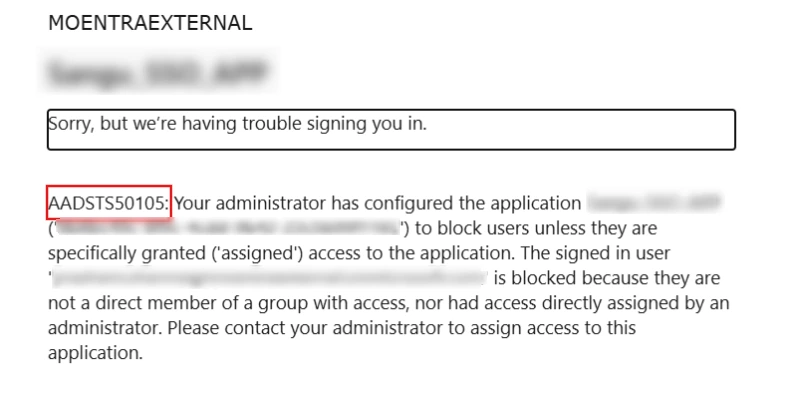
The AADSTS50105 error occurs when the user signing in has not been assigned access to the application in Azure AD / Entra ID.
Follow these steps to grant the required access:
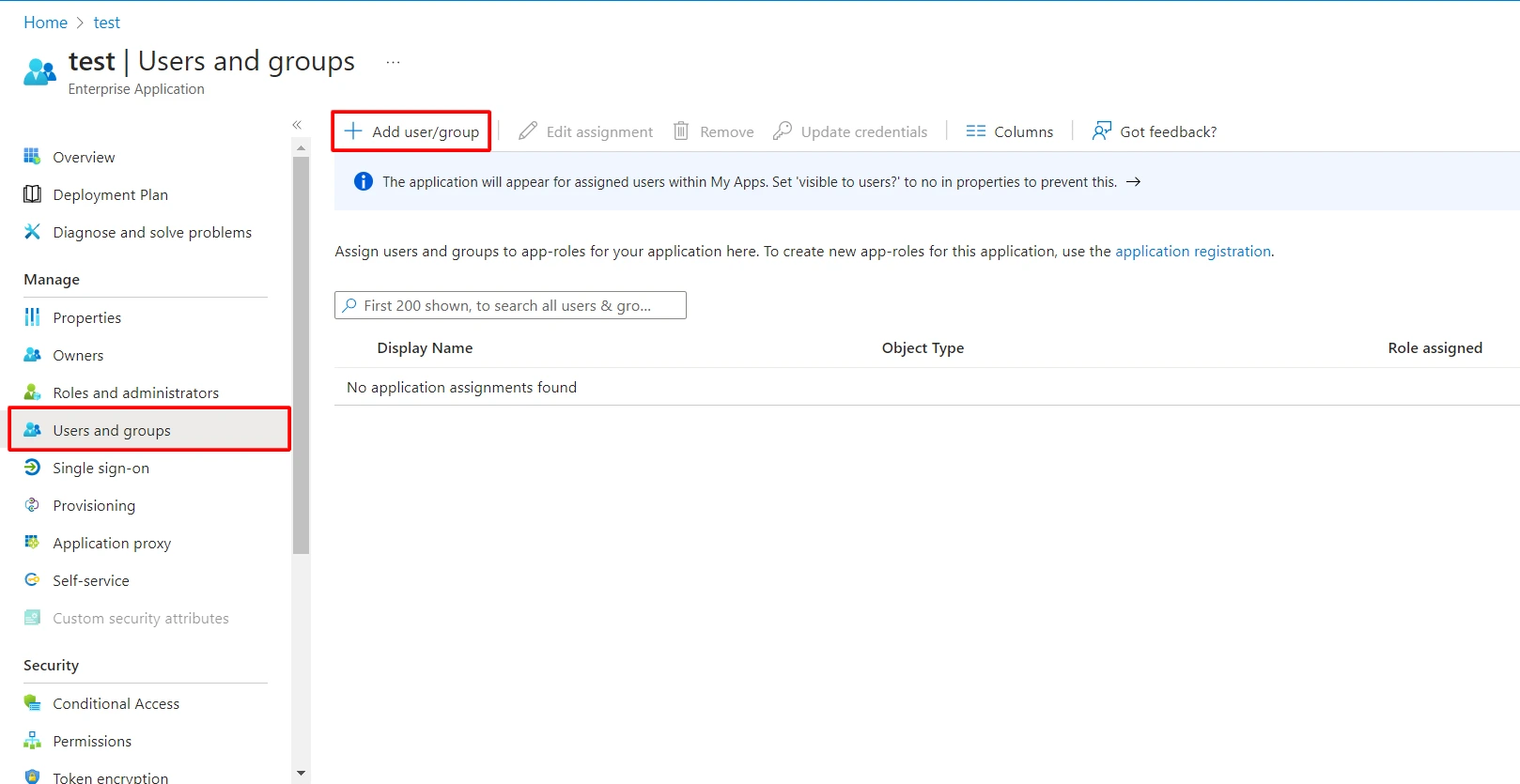
- Navigate to Users and groups tab and click on Add user/group.
- Click on Users to assign the required user and then click on Select.
- After selecting users click on Assign button.
- You can also assign a role to your application under Select Role section.
- Once these steps are completed, the user will have access to the application.
Still need help?
If the issue persists, feel free to contact us at samlsupport@xecurify.com. Our support team will assist you further.


