It might be possible that you are facing this issue because your Service Provider requires specific attributes for creating users. Hence, these attributes need to be sent from your SAML IDP Plugin for WordPress to the Service Provider when the user performs SSO.
For example, Moodle compulsorily requires the following attributes to be sent from IDP for user creation –
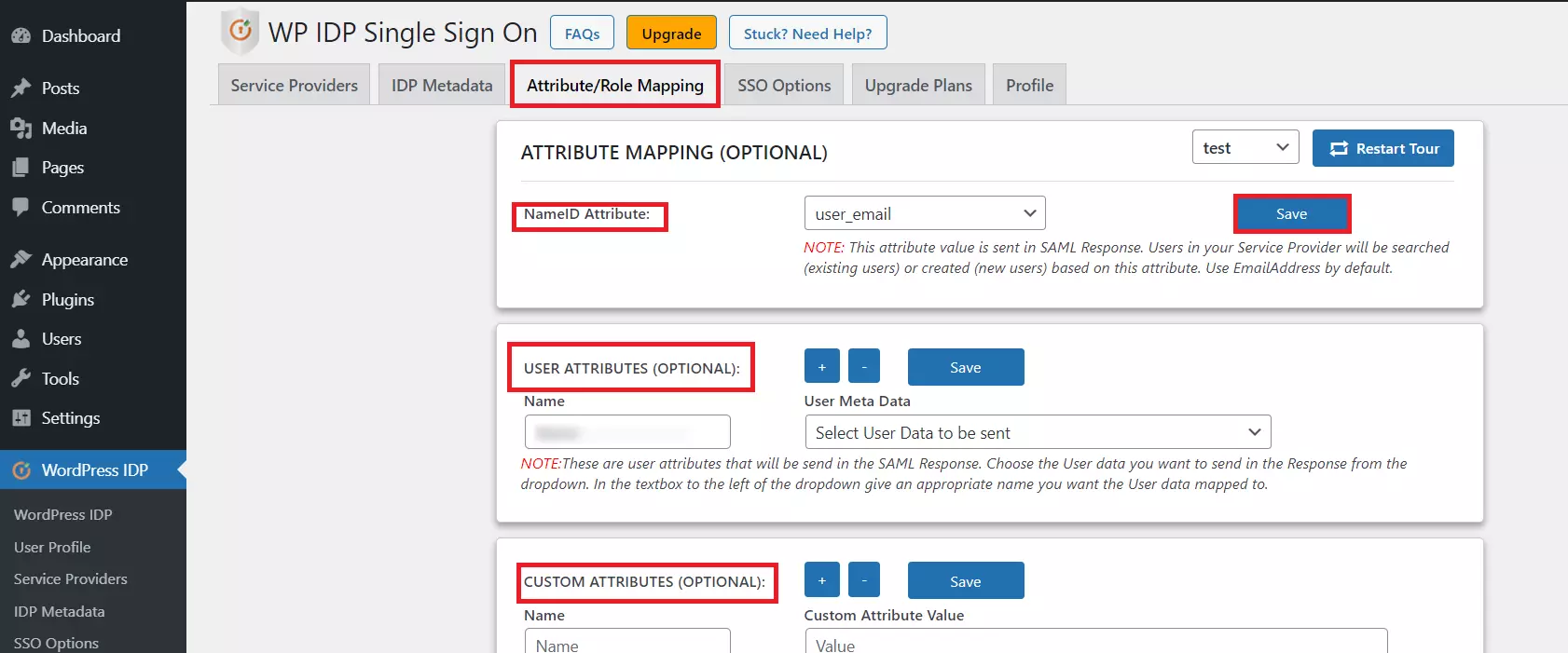
- For configuring attributes that need to be sent to your SP, you can navigate to the Attribute/Role Mapping tab in the SAML IDP Plugin for WordPress.
- Under attribute mapping, you can add which WordPress user attributes are required to be sent. If there any custom attributes, that can be configured in the CUSTOM ATTRIBUTES section.
Feel free to reach out to us at samlsupport@xecurify.com if you need any assistance in setting up your Service Provider with our miniOrange SAML IDP Plugin.


