Error Code Description
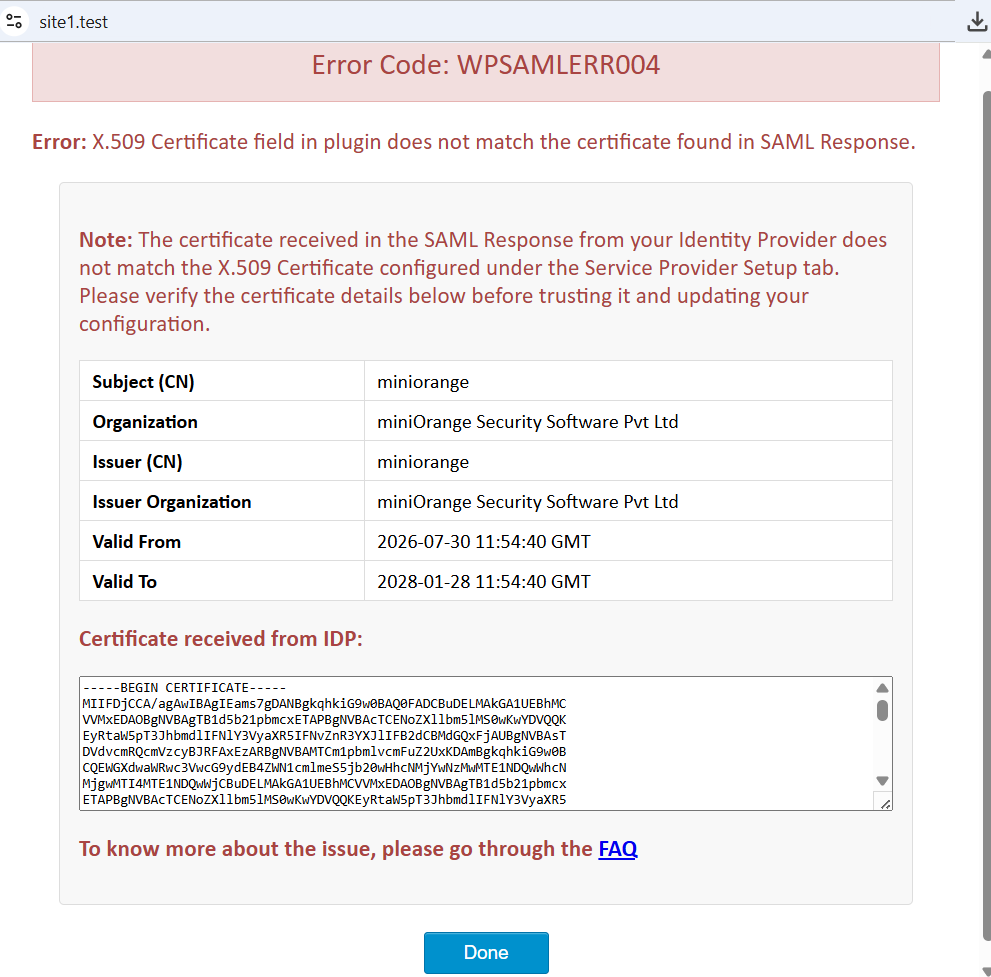
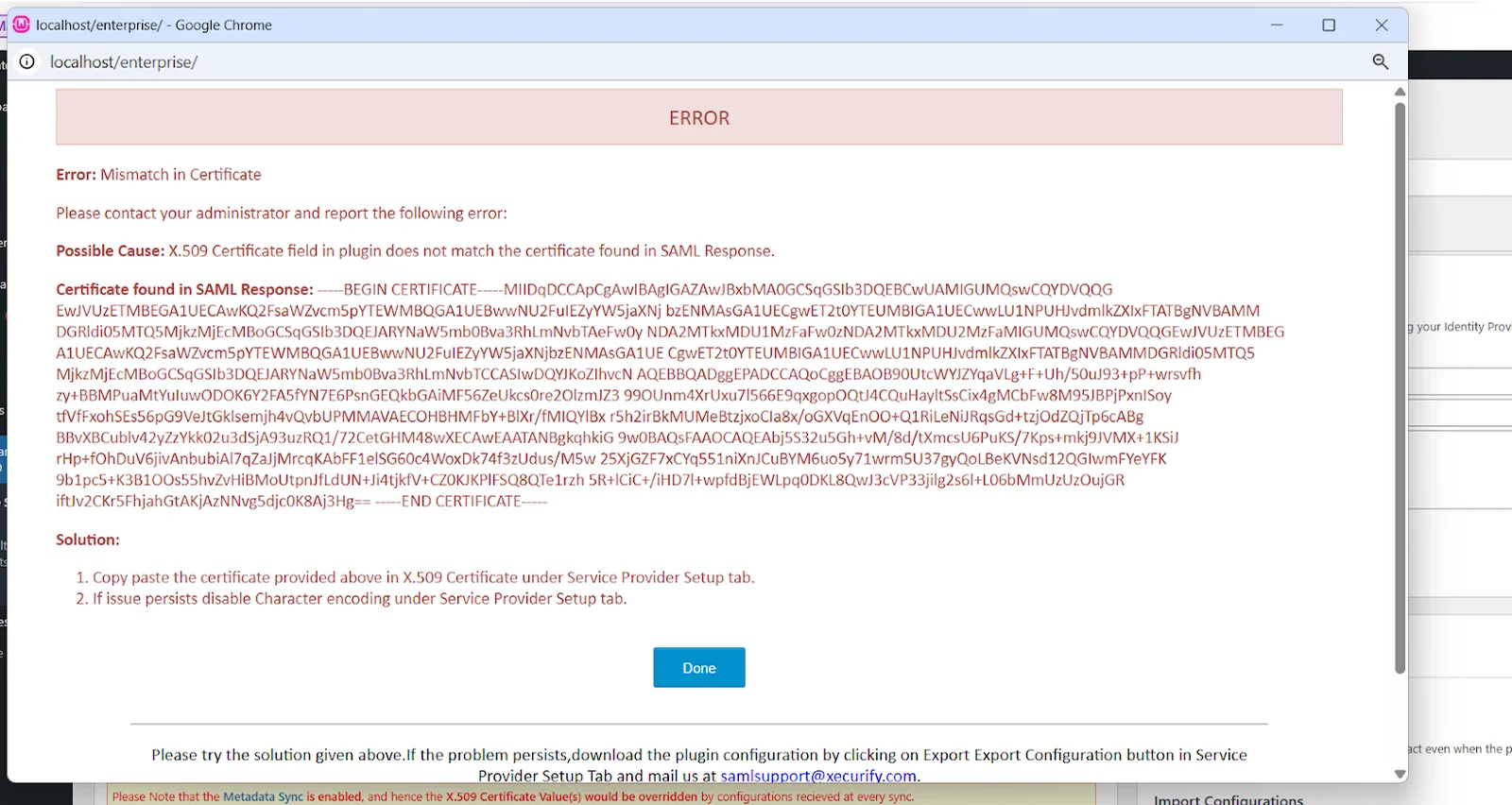
This error occurs when a certificate in the SAML Response does not match the certificate configured in the plugin.
Solution:
- Free Plugin
Follow the below steps to fix the Error:
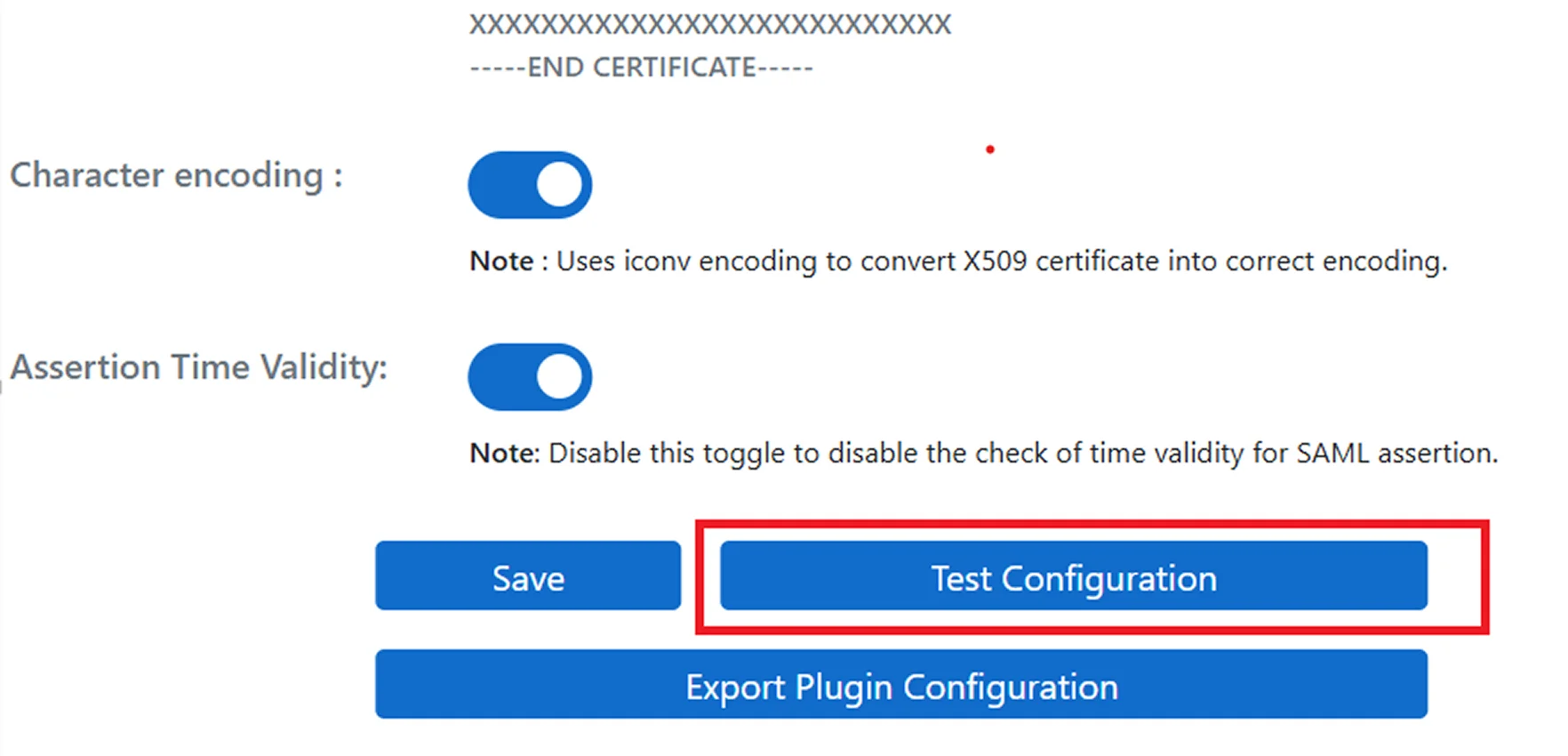
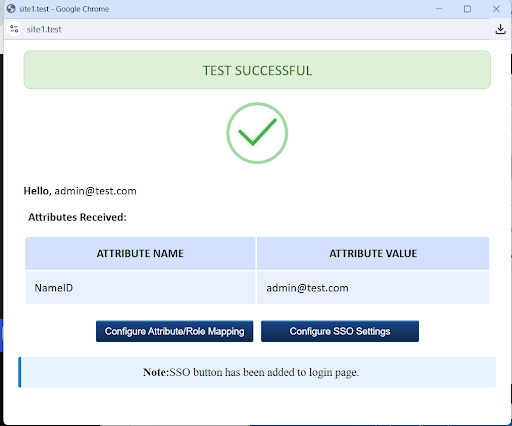
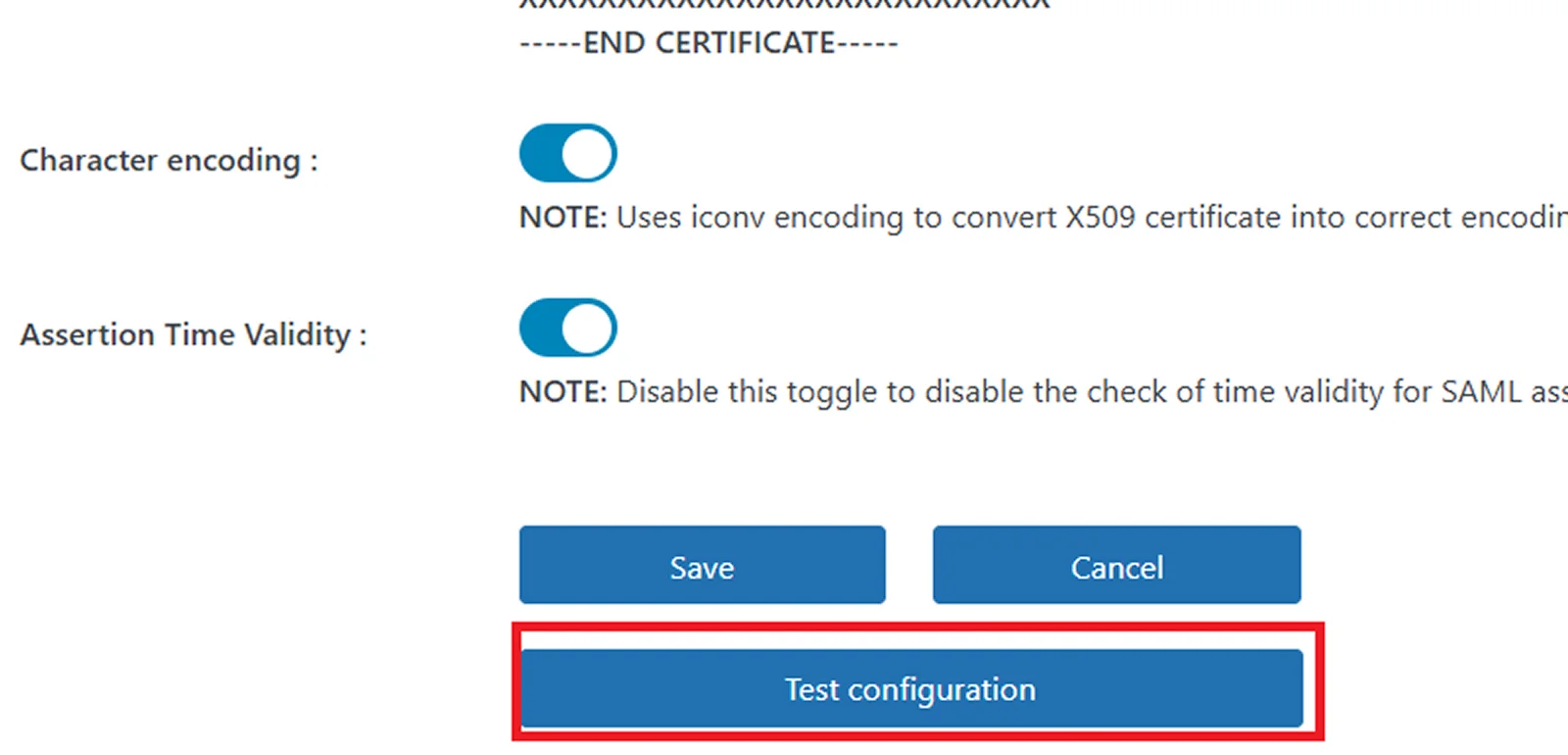
- Under the IDP Configuration tab, Click on the Test Configuration button to test the SSO functionality.
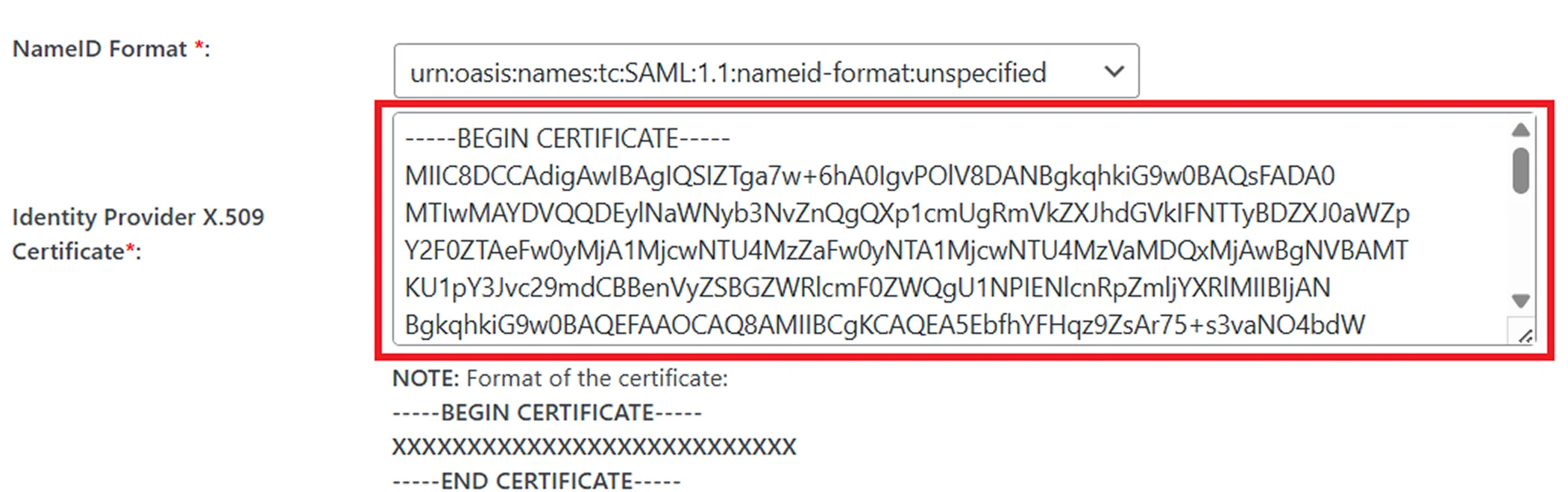
- Copy the certificate received from the IDP and paste it into the certificate field
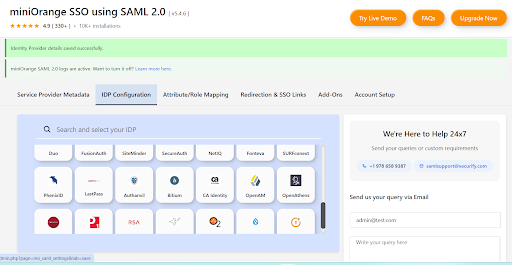
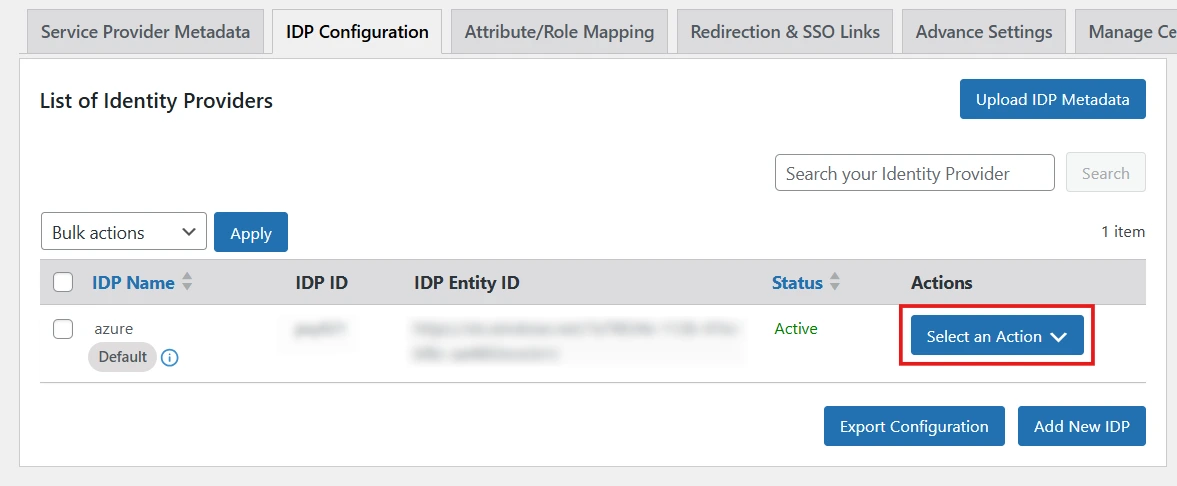
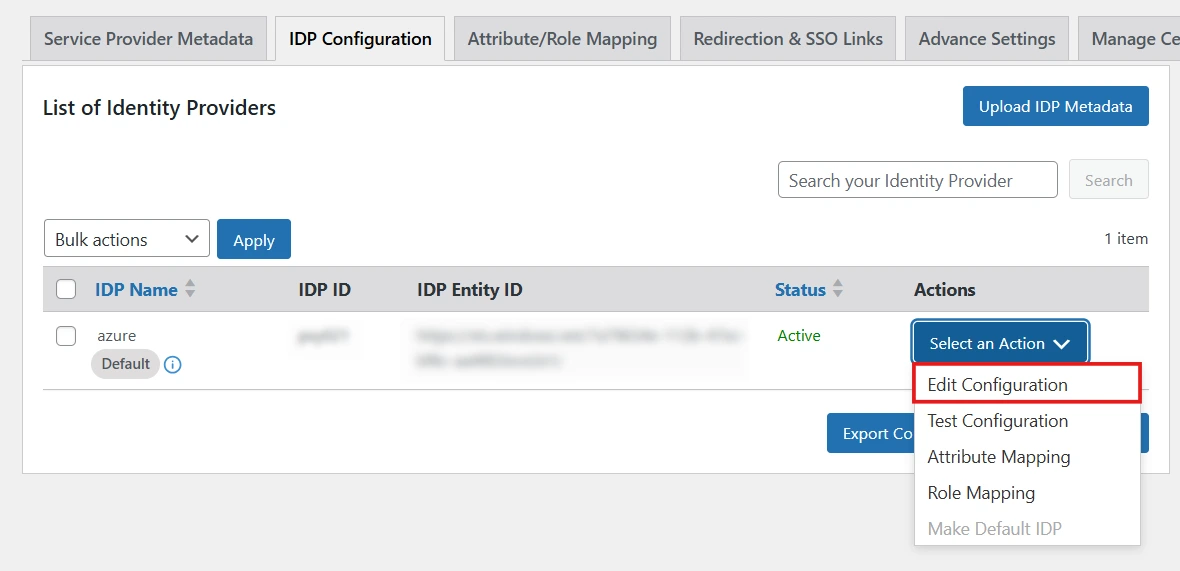
- Navigate to the IDP Configuration tab in the plugin settings.
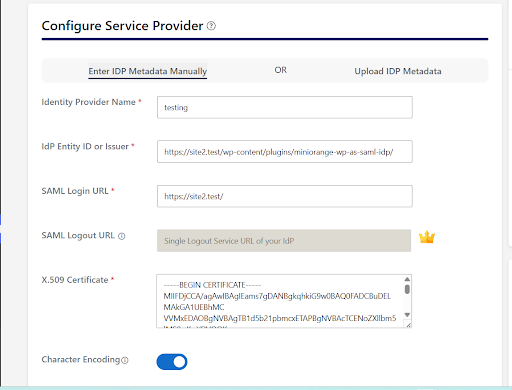
- Paste the certificate in the X 509 Certificate field.
- Perform test configuration again.
Note:
To proactively prevent certificate mismatch errors (WPSAMLERR004), you can enable the Metadata Sync feature. This feature automatically retrieves and updates the IdP metadata at scheduled intervals, ensuring that any updated or rotated signing certificates are fetched and applied without manual intervention.
For detailed instructions on configuring and enabling Metadata Sync, please refer to this document.
If the issue persists, Please check out the following solution to resolve the issue.
Feel free to reach out us at samlsupport@xecurify.com.


