When Wi-Fi is blocked or restricted by an MDM policy such as kiosk mode, the iPhone may lose internet connectivity. Once the device is offline, it cannot communicate with the MDM server, which prevents new profiles, policies, and commands from being pushed.
Steps to Restore Connectivity
-
Connect the iPhone to a Mac
Use a USB cable to connect the iPhone to a Mac.
-
Enable Internet Sharing on the Mac
On the Mac, go to: System Settings → General → Sharing → Internet Sharing
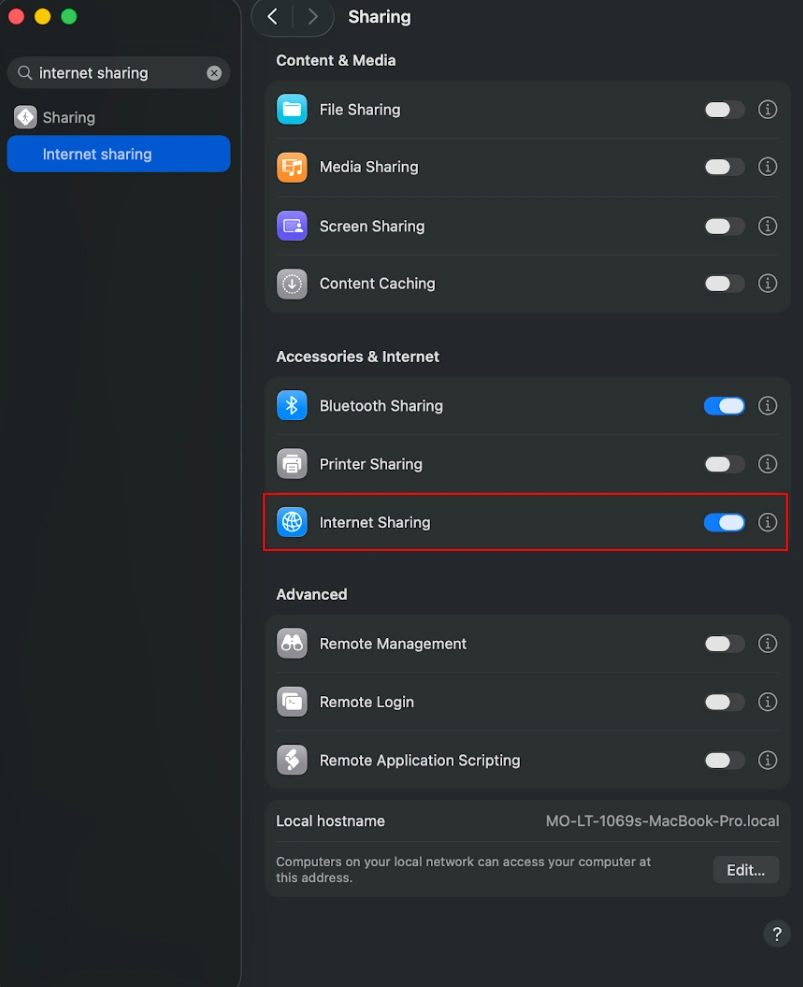
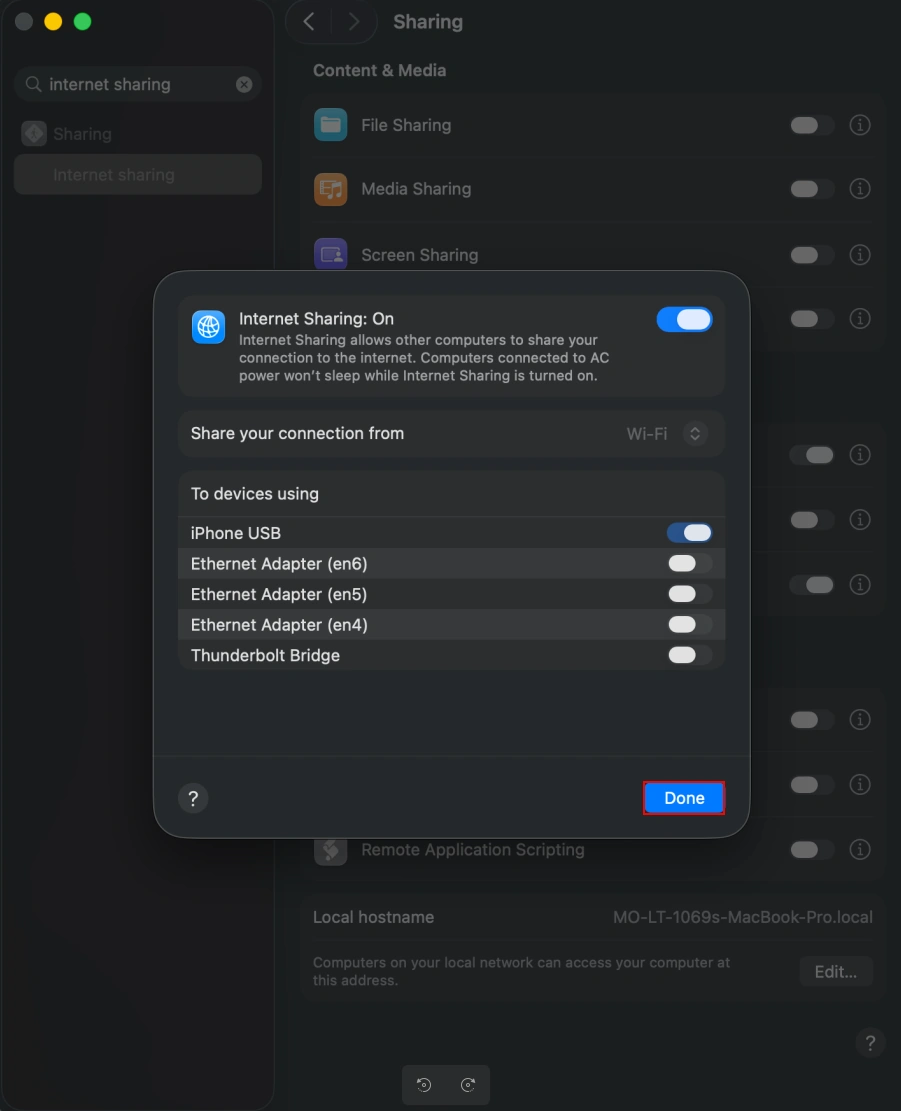
Configure the following:
- Share connection from: Wi-Fi or Ethernet
- To computers using: iPhone USB
- Turn Internet Sharing ON
-
Verify Internet Access on the iPhone
Once Internet Sharing is enabled, the iPhone should receive internet connectivity through the USB connection.
-
Allow the Device to Sync
After connectivity is restored:
- The iPhone will reconnect to the MDM server
- From the admin dashboard, go to Device Actions and click Sync Device


