Want to remove the Work Profile from your Android device? Or facing the "Can't Add Work Profile" error?
Follow these quick steps to fix this instantly:
- Open Settings on the device, then go to Accounts or Users & accounts.
- Select the Work tab and scroll down to locate the Remove Work Profile option.
- When the confirmation prompt appears, tap Delete.
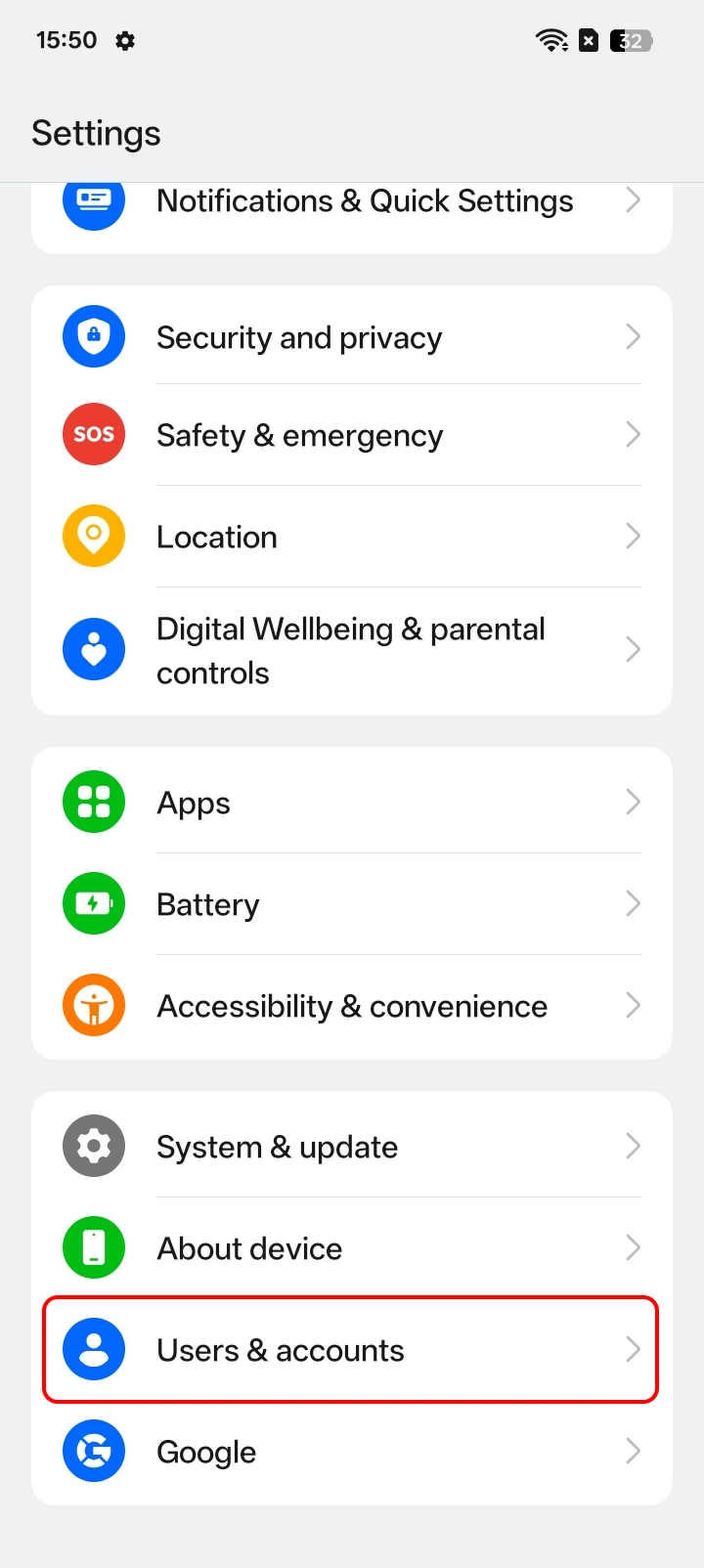
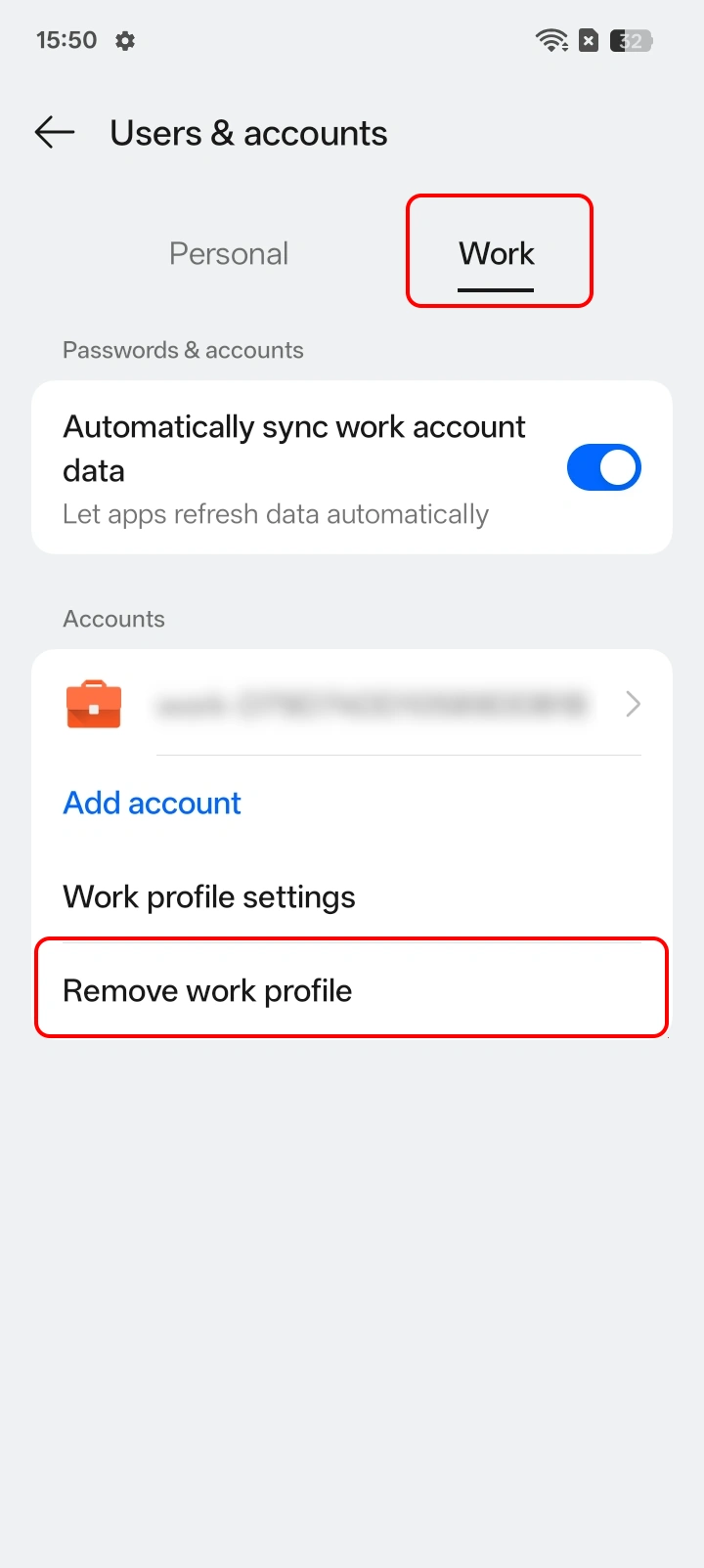
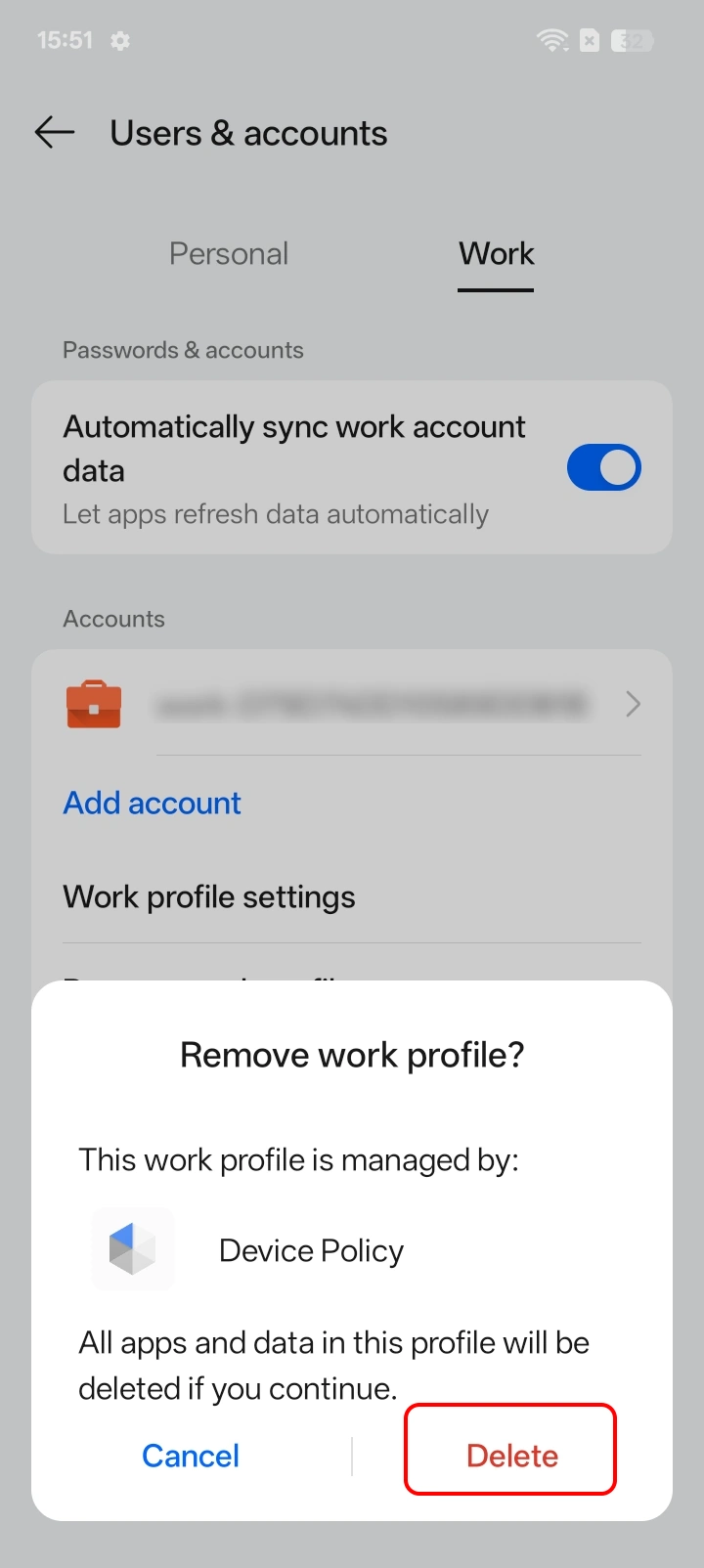
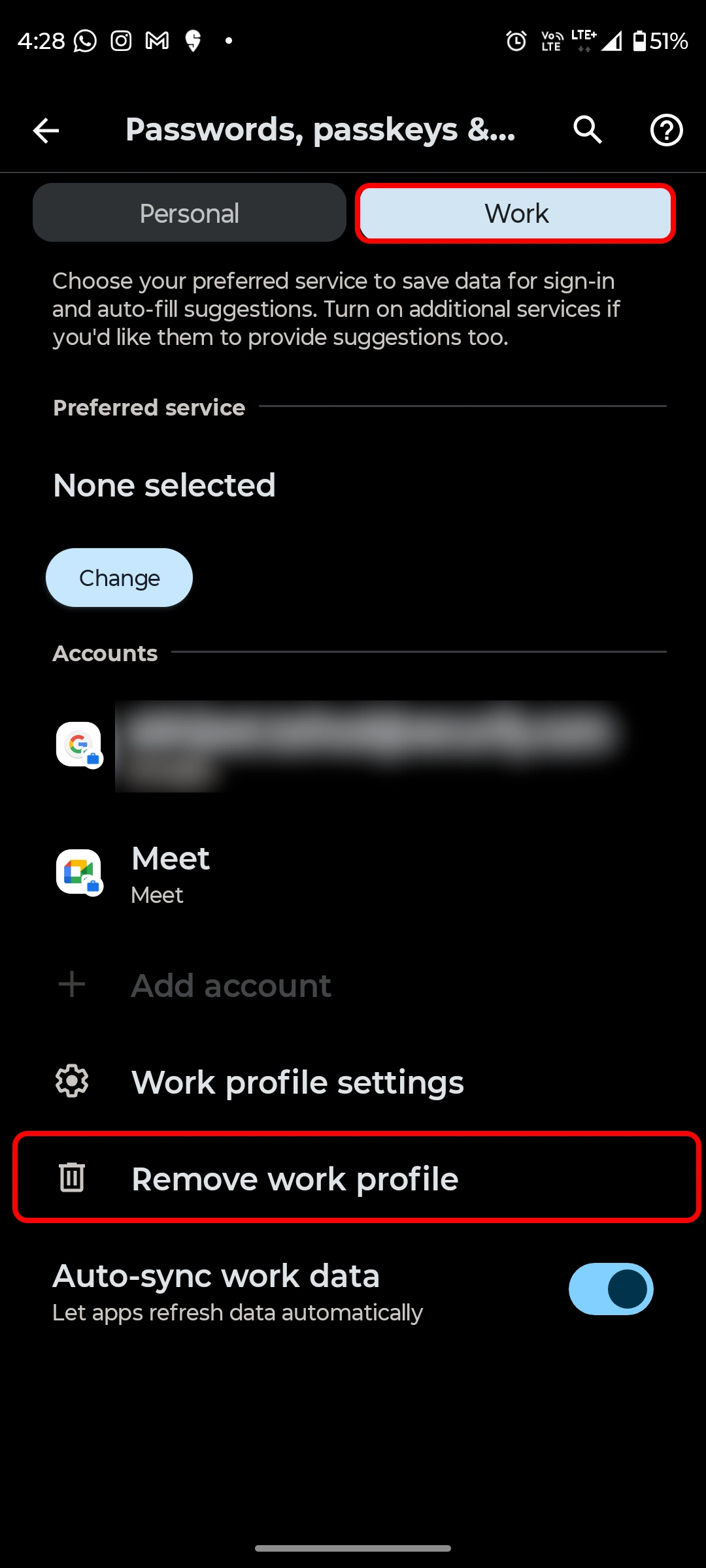
For Motorola Edge Devices
- Open Settings on your Motorola Edge device and go to Passwords, Passkeys & accounts.
- Tap on the Work tab, and then click on Remove Work Profile.
- When prompted, tap Delete to confirm.
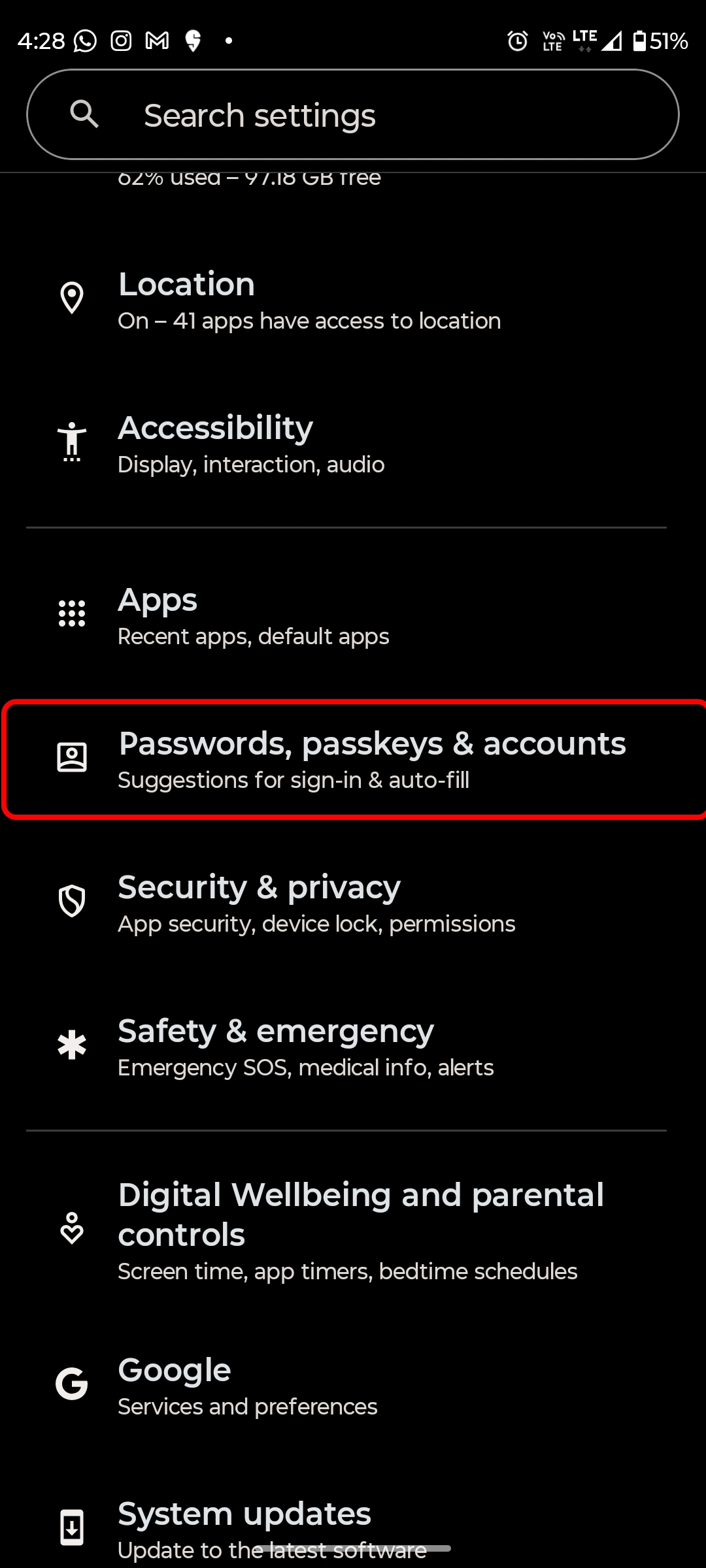
Once completed, the device will then delete all data associated with the work profile, including apps, settings, and any work-related information stored on it.
Note: If you're still getting issues, contact us at mdmsupport@xecurify.com for support.


